
CGNAT is a range of IP addresses used exclusively by internet operators. Some Internet Service Providers (ISPs) need to use carrier-grade NAT to provide network connectivity to millions of devices without sacrificing scarce and valuable public IP addresses. These include fiber providers using ONTs and Wireless Internet Service Providers (WISPs).
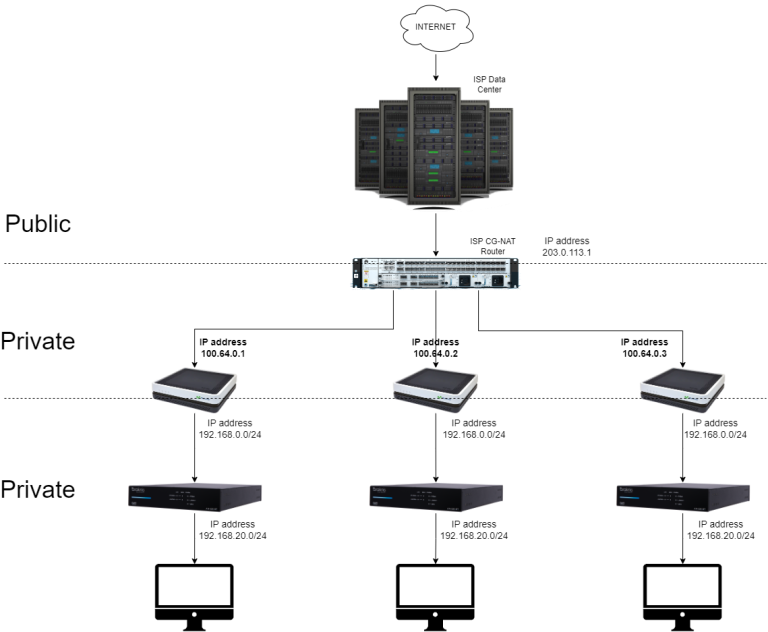
When CGNAT is active, it does not allow port forwarding and can block services such as VPN, dynamic DNS (DDNS) and online gaming services.
How to identify a CGNAT
If your router’s WAN IP address is between 100.64.0.0.0 and 100.127.255.255, you are behind a CGNAT.
You can check this from inside the network by doing a traceroute (if you are using a Mac) or tracert (if you are using Windows).
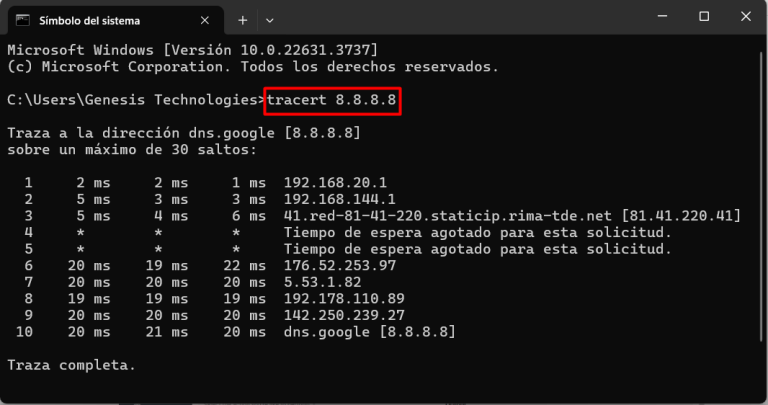
This command will allow you to see the hops that the packets make to their destination. In the image above you can see that from a local PC the first hop is to the Araknis router, the second to the provider’s router and the third to a public IP. This confirms that in this case there is no CGNAT.
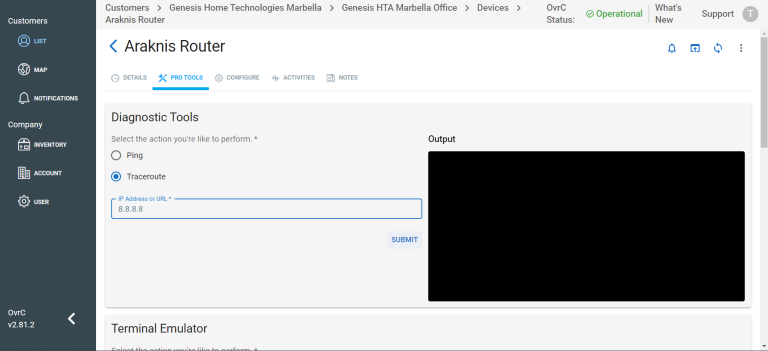
You can also check this from OvrC in the OvrC Pro device under the Pro Tools > Traceroute section.
Resolution of a CGNAT
If you see your router hopping to an address in the range 100.64.0.0 – 100.127.255.255, contact your ISP and ask them to disable your CGNAT.
Ideally, they would give you a static IPv4 address on top of that, but they usually charge for it. However, to set up a VPN with Araknis you do not need a static public IP, as with the free DDNS service built into the routers we can guarantee that the VPN will work even if the public IP changes.
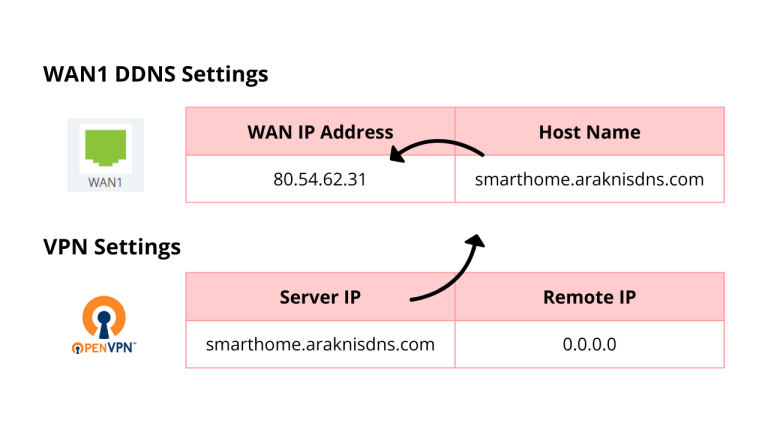
If you want to know how to configure the provider’s router and the Araknis neutral router, see this article: Creating a VPN with Araknis routers.