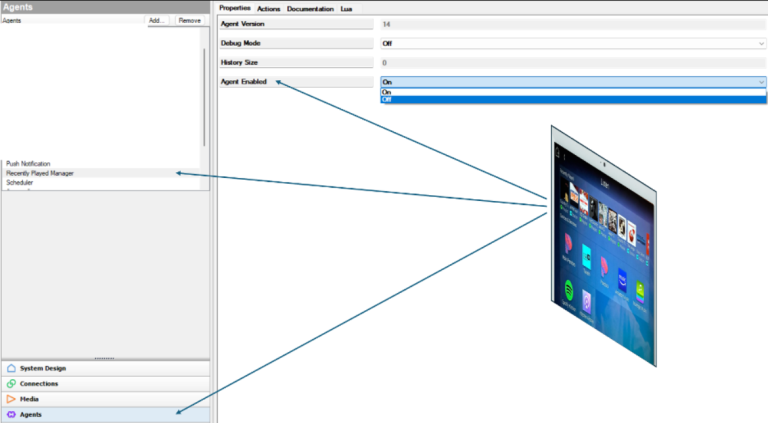
When accessing the Listening experience from the Control4 mobile app or Touch Screen, you’ll notice a feature at the top that displays the most recently played items from the Listen session.
While this feature has been well-received, there may be instances where a customer wishes to disable it. Snapone have considered various use cases and added the option to enable or disable this experience.
To enable or disable this experience:
- Launch Composer.
- Connect to the Project.
- Go to the Agents tab.
- Select Recently Played Manager.
- You’ll find an option labeled “Agent Enabled”:
- Off: Will not display on Navigators.
- On: Will display on Navigators.