
DS2 driver version 266 driver has the ability to securely communicate with the DS2 using the HTTP API. New installs will automatically be configured for the highest security level. You should not have to manually change the HTTP API settings using the WebUI. If you want to update an existing installed DS2 to the highest security communication options, they may use the driver action Set Secure Authentication.
If you are using an older version of the driver (not recommended), you can follow these steps below:
Log in to the DS2 Web UI
Login: admin
Default Password: t0talc0ntr0l4!
If the password has already been updated to a new password, the password can be found in the DS2 Driver Properties, under “HTTP API Password.”

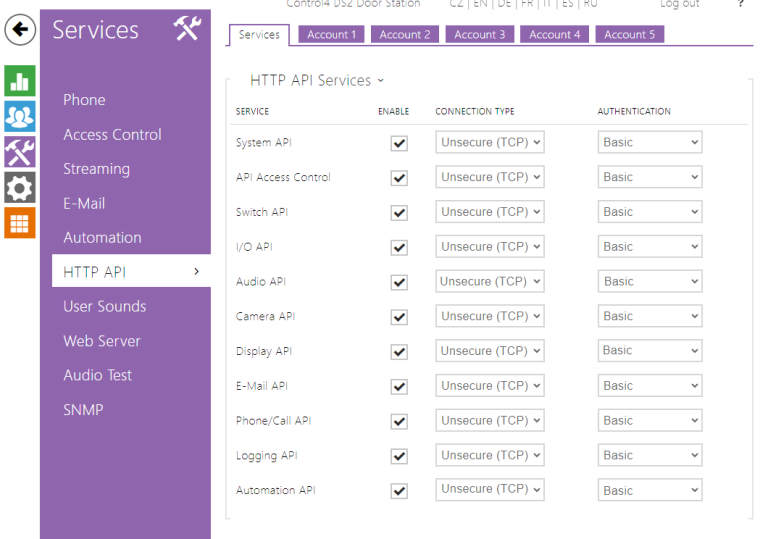
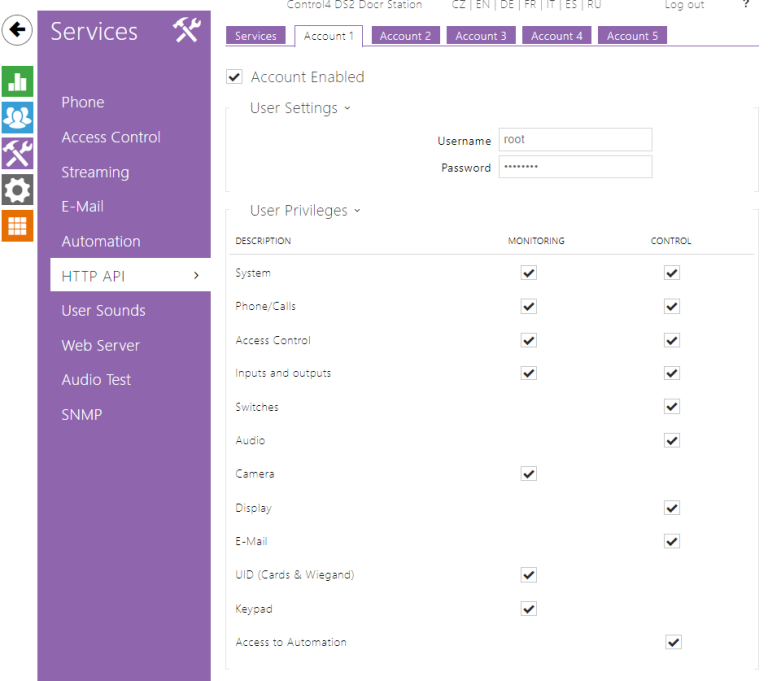
Configure the HTTP API Username and Password
Update the HTTP API password in Composer
- In Composer, click on System Design, then the DS2 driver.
- Click on Properties and update the API Username and Password.

- Click on Set for both options.
- Click on the Actions Tab, then click Auto Config.
Note: When the API password is changed you must also update the password in the camera proxy to match.