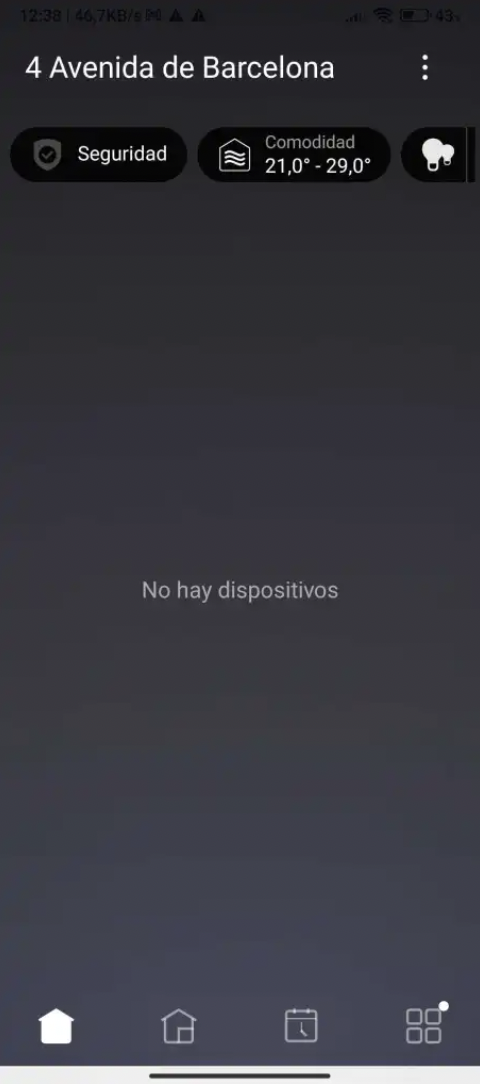
Update your Composer Pro to version OS X4
Update your controller to version OS X4
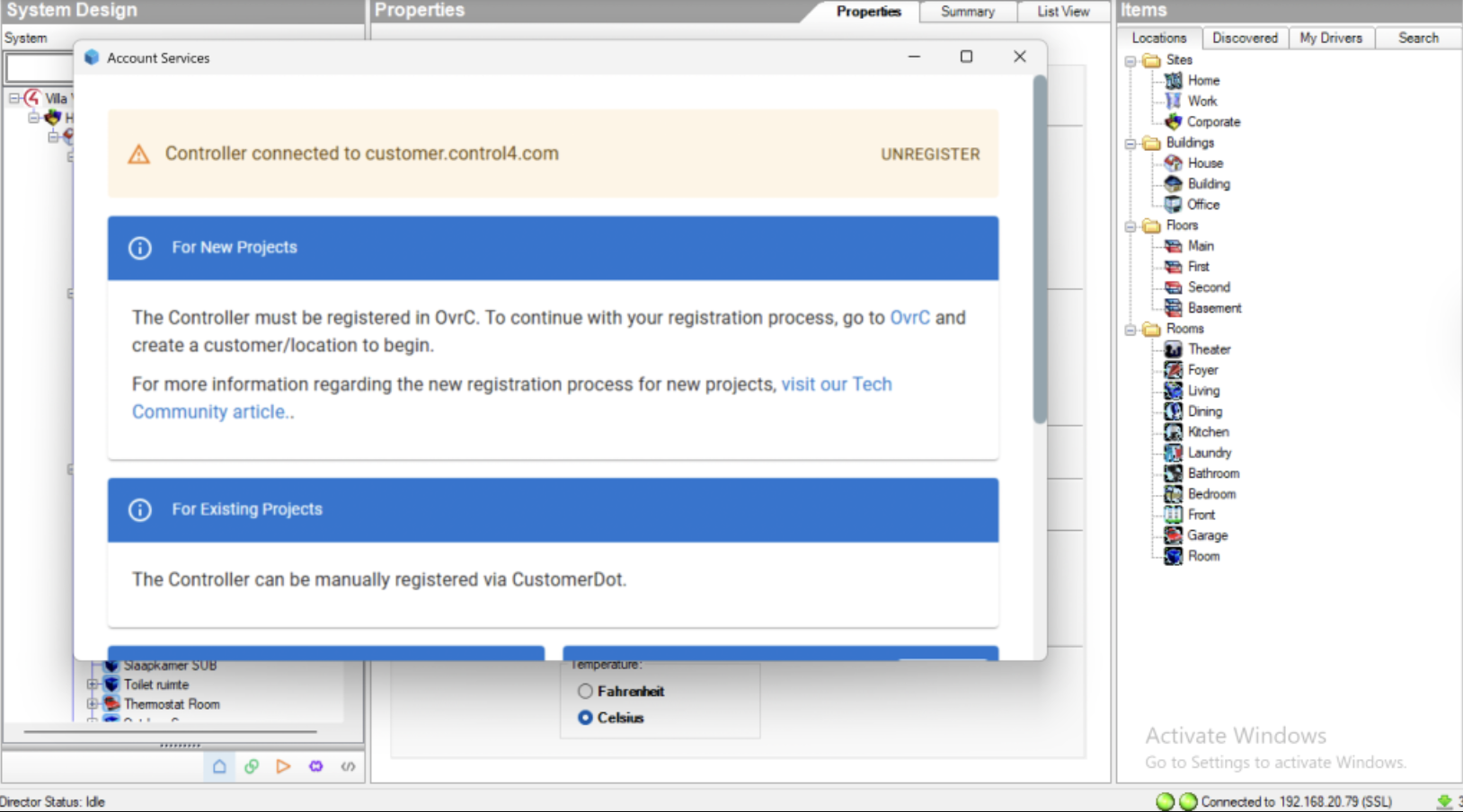
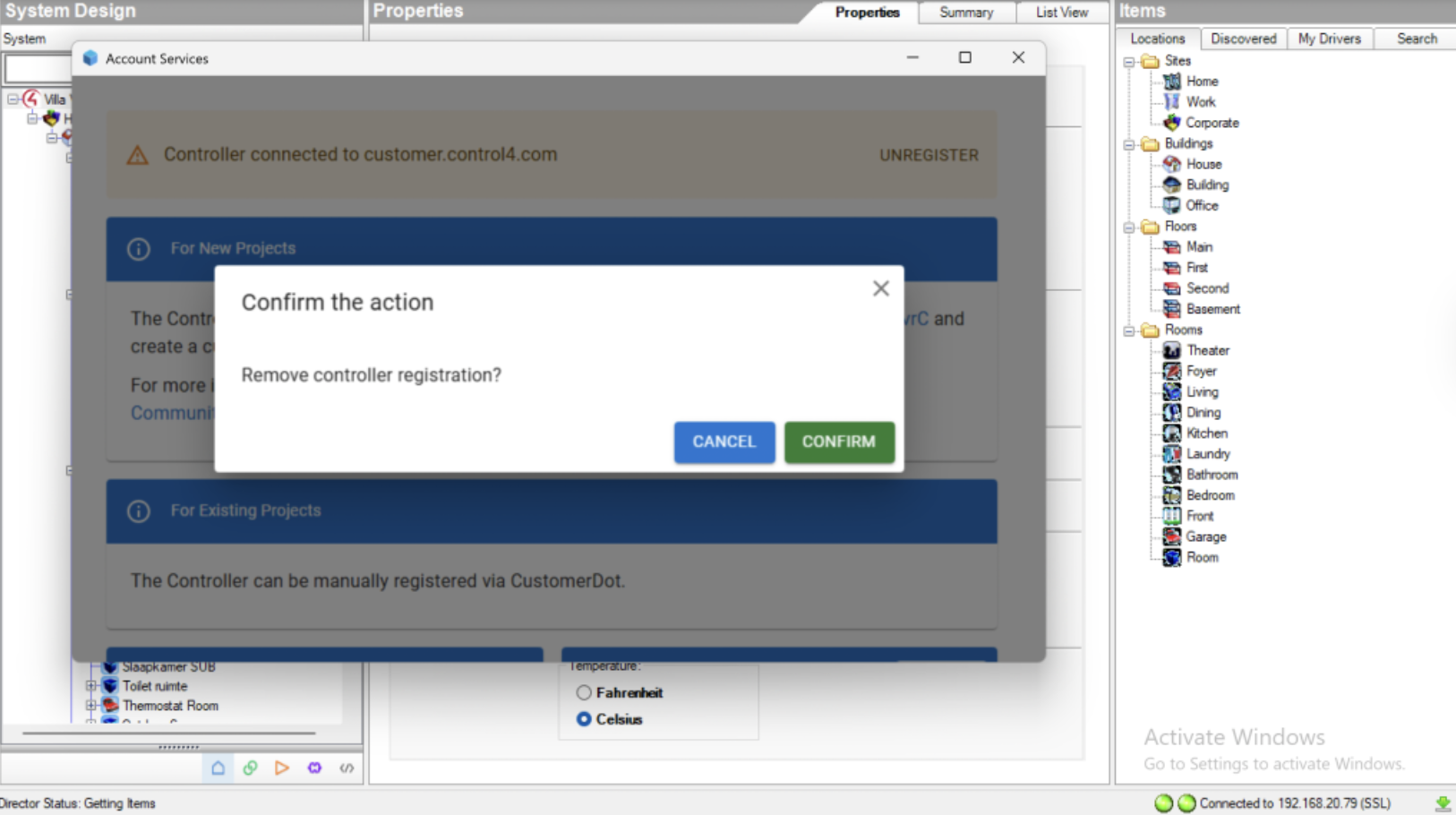
UNREGISTER your showroom controller in Composer
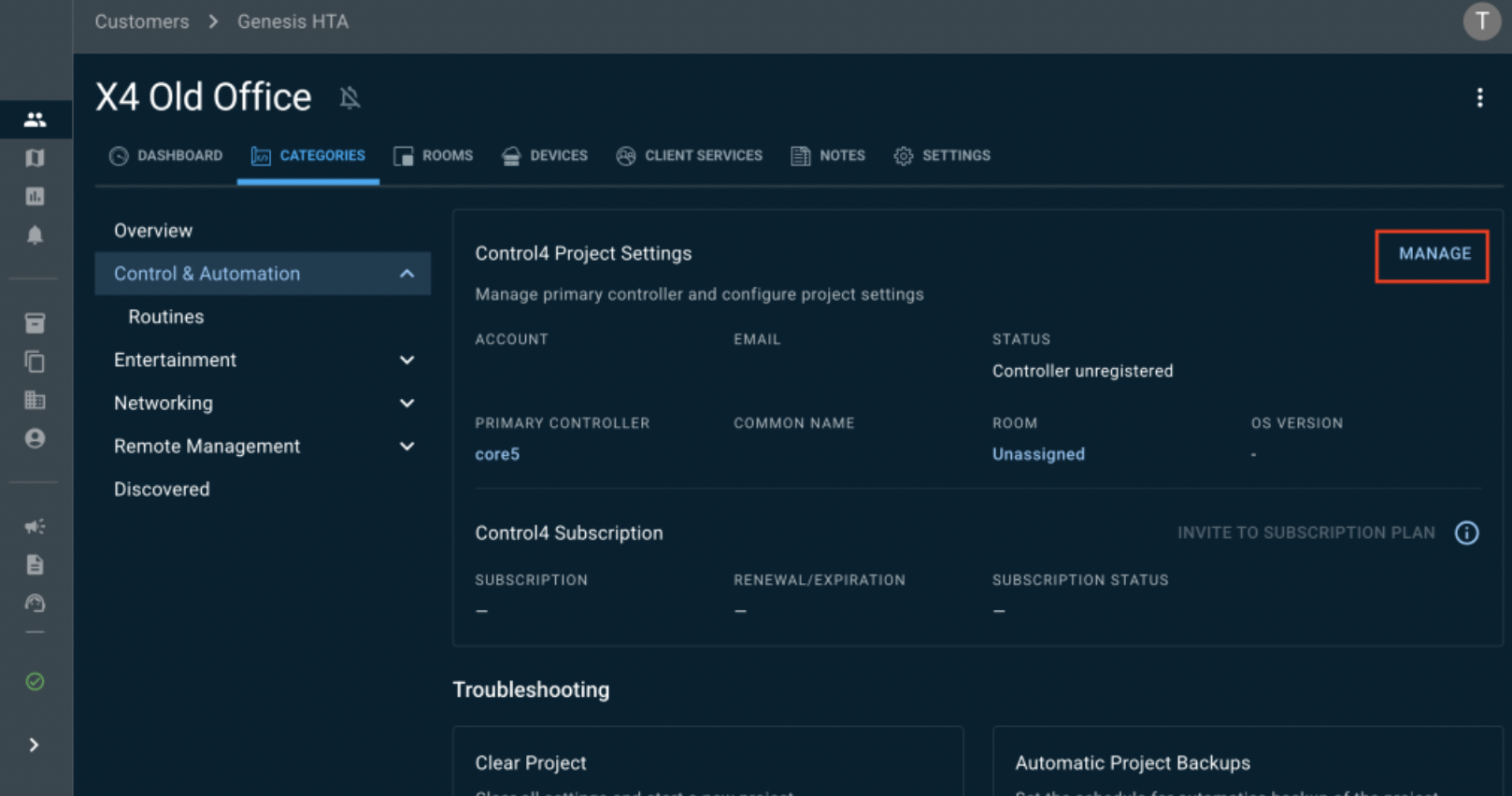
In your Showroom OvrC Location, go to Categories > Control4 Project Settings > MANAGE
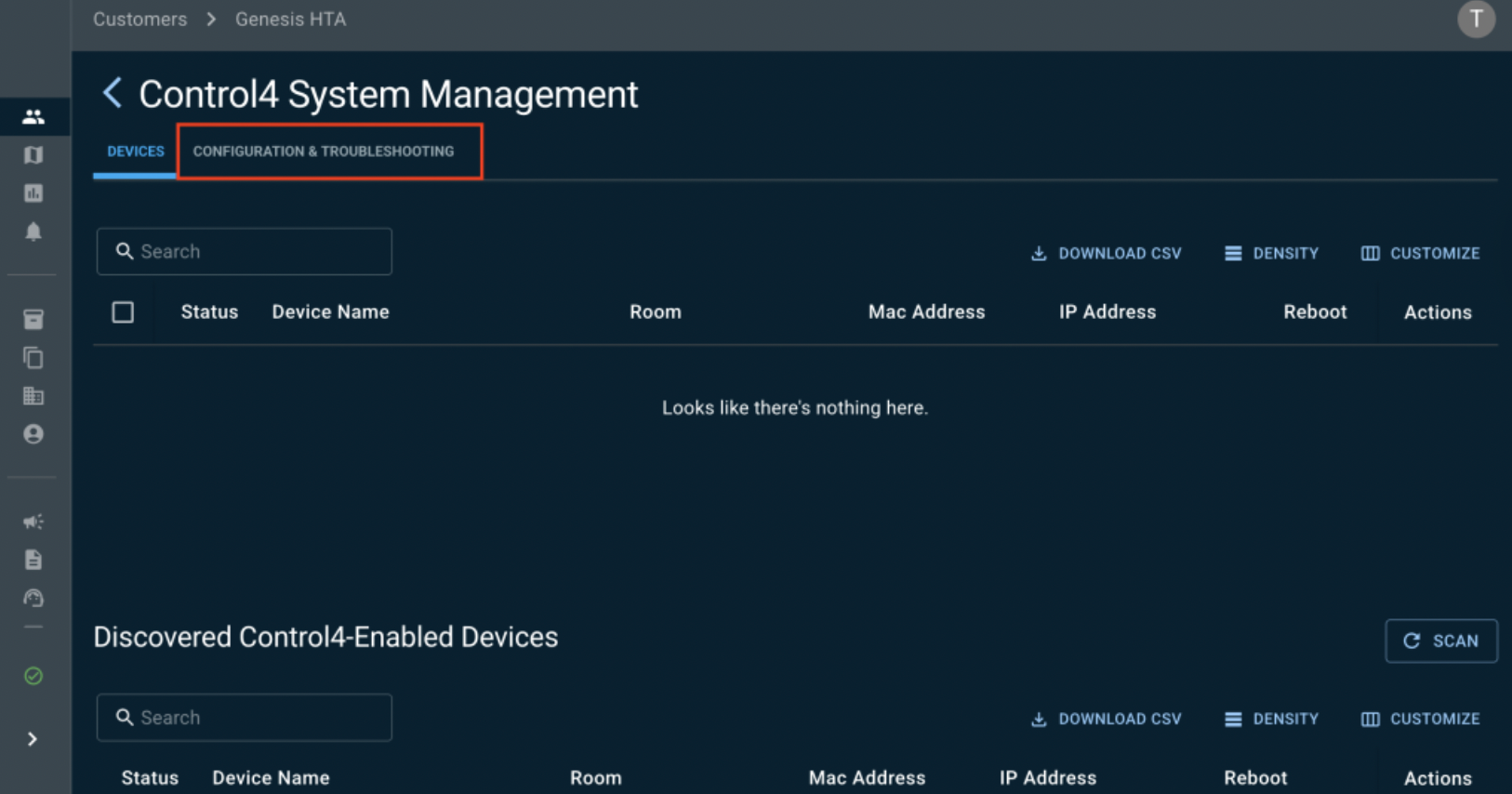
Click on Configuration and Troubleshooting
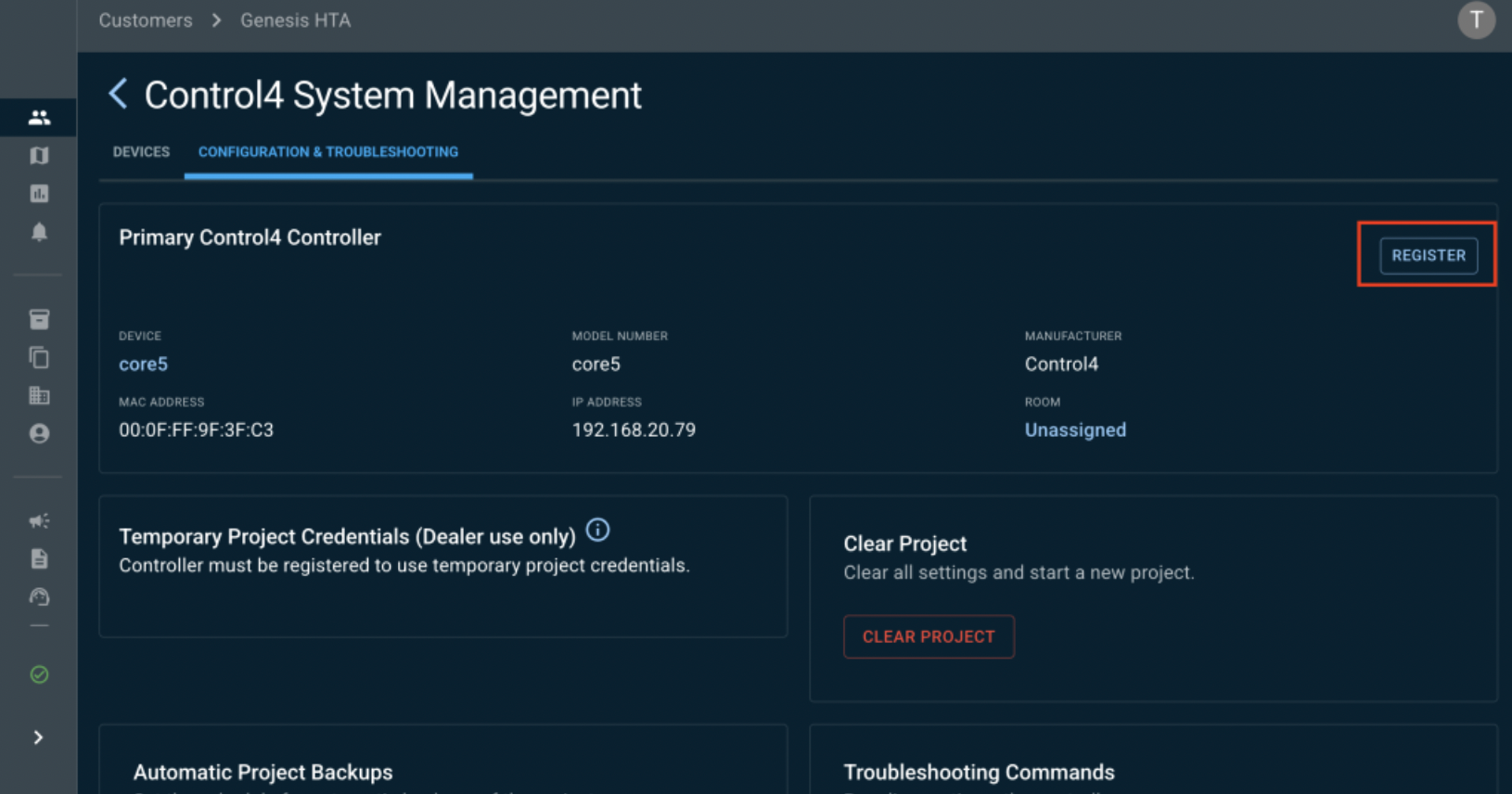
Click on REGISTER
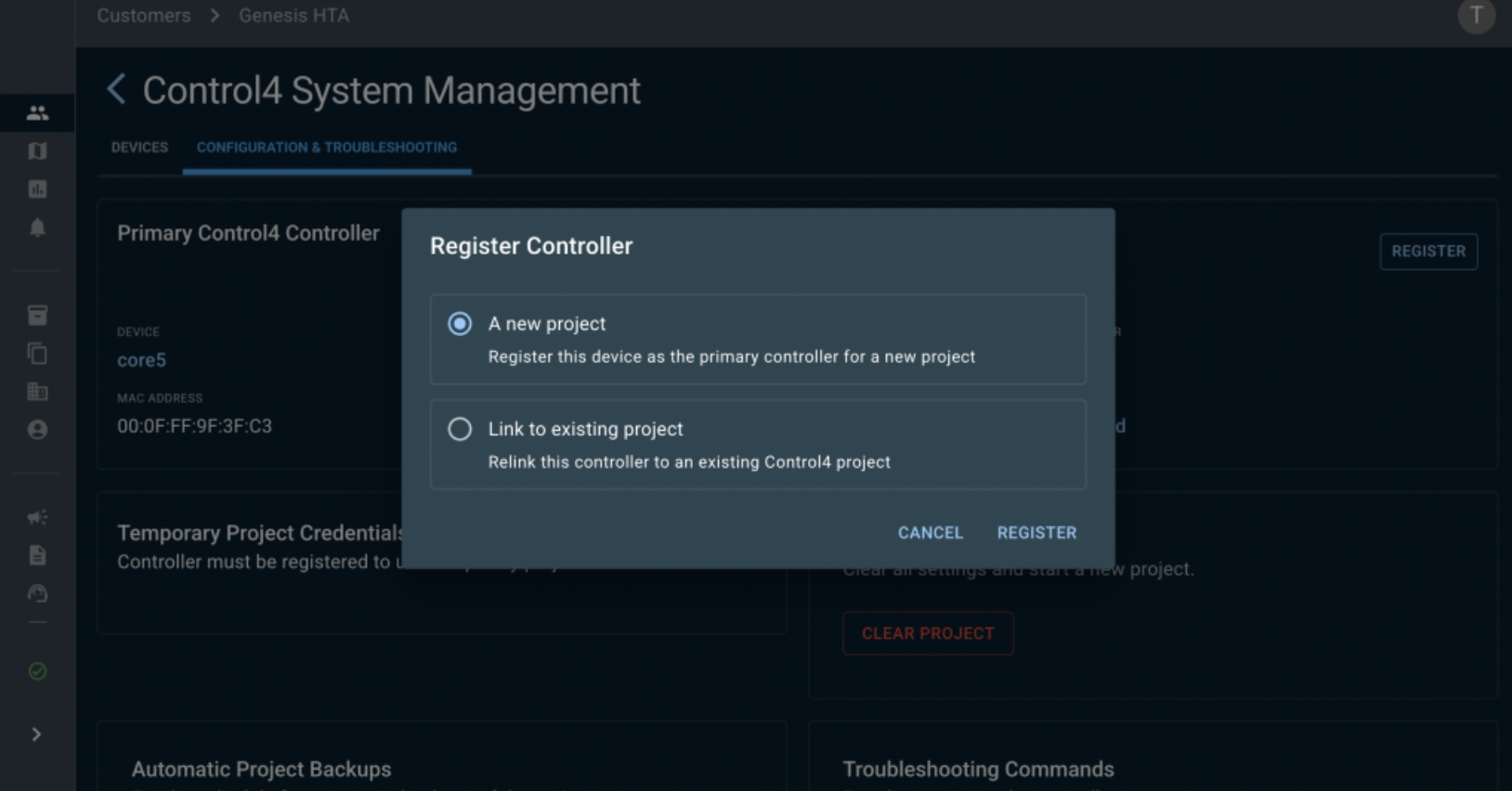
Click on A new project
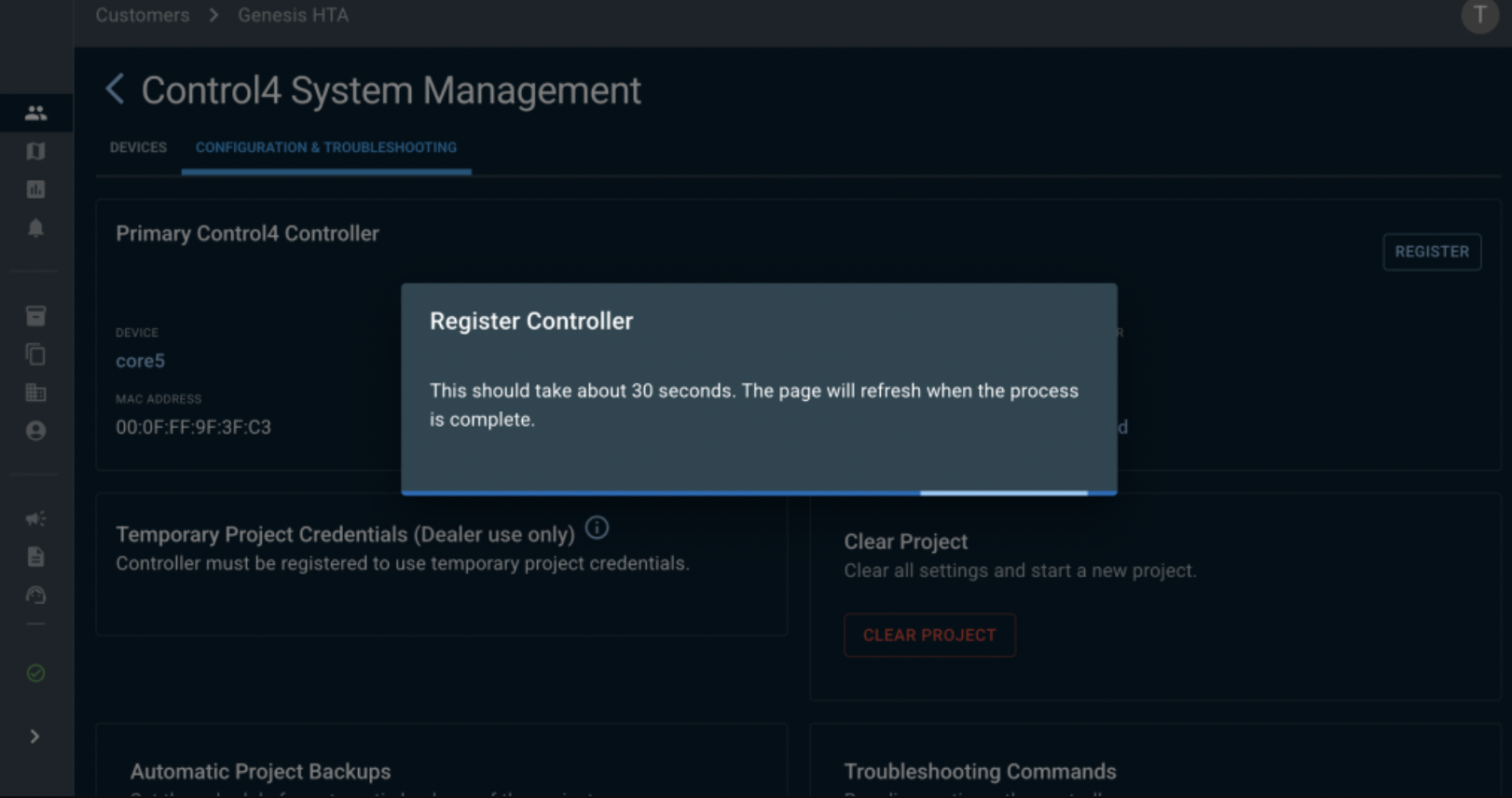
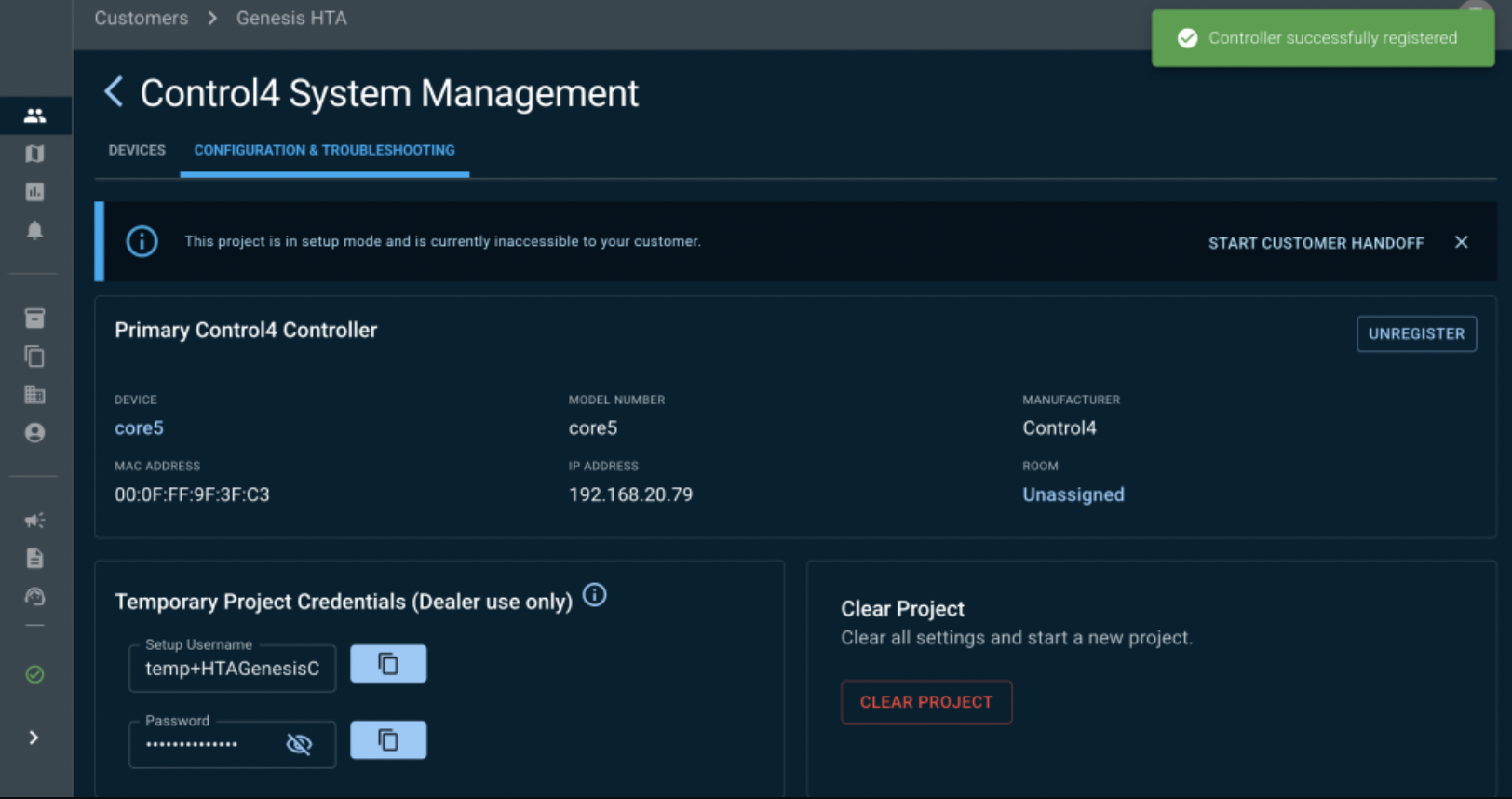
Click on START CUSTOMER HANDOFF
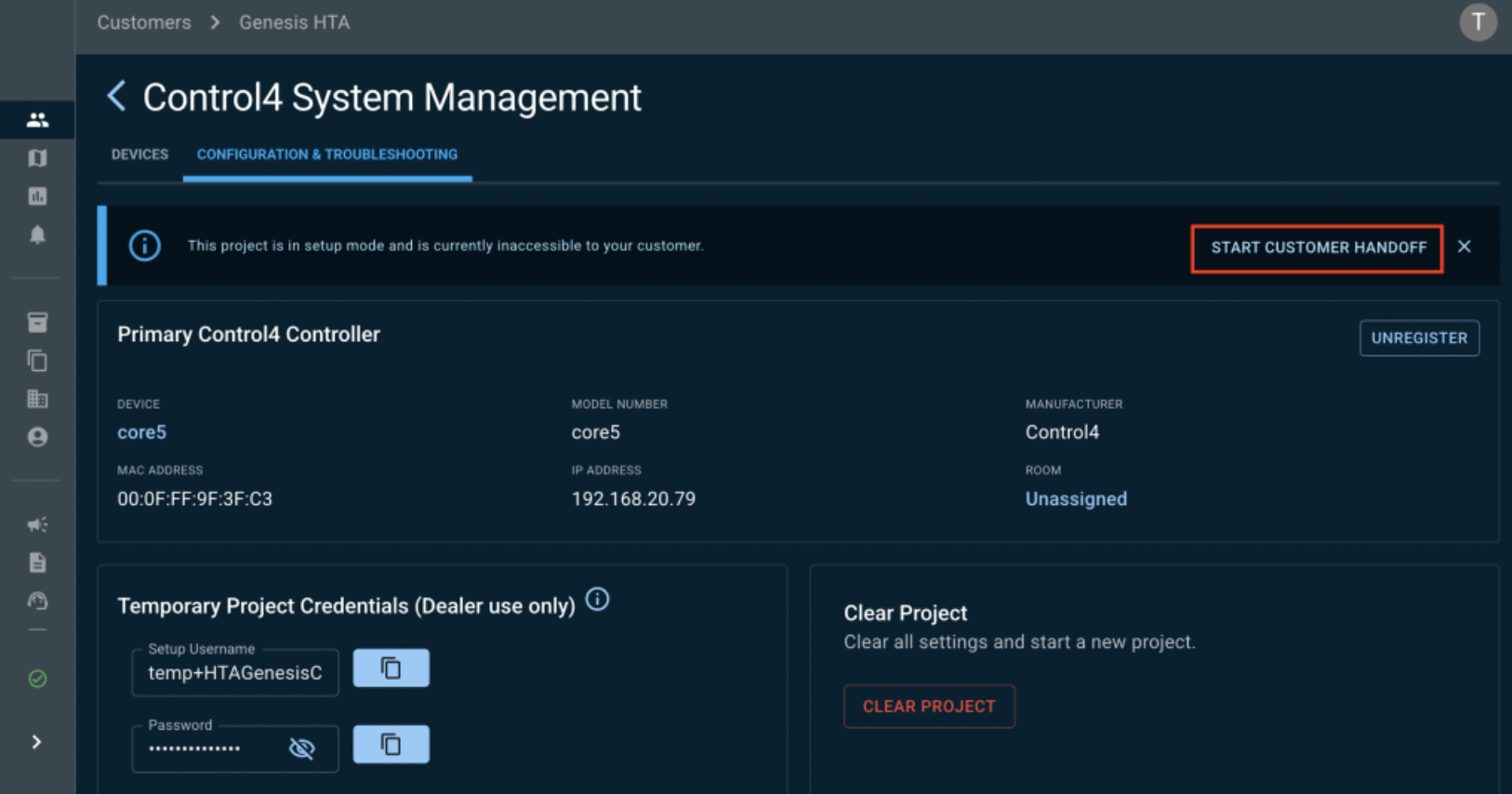
Fill in your email.
⚠️
Must be different from the one you used on customer.control4.com to unregister your controller.
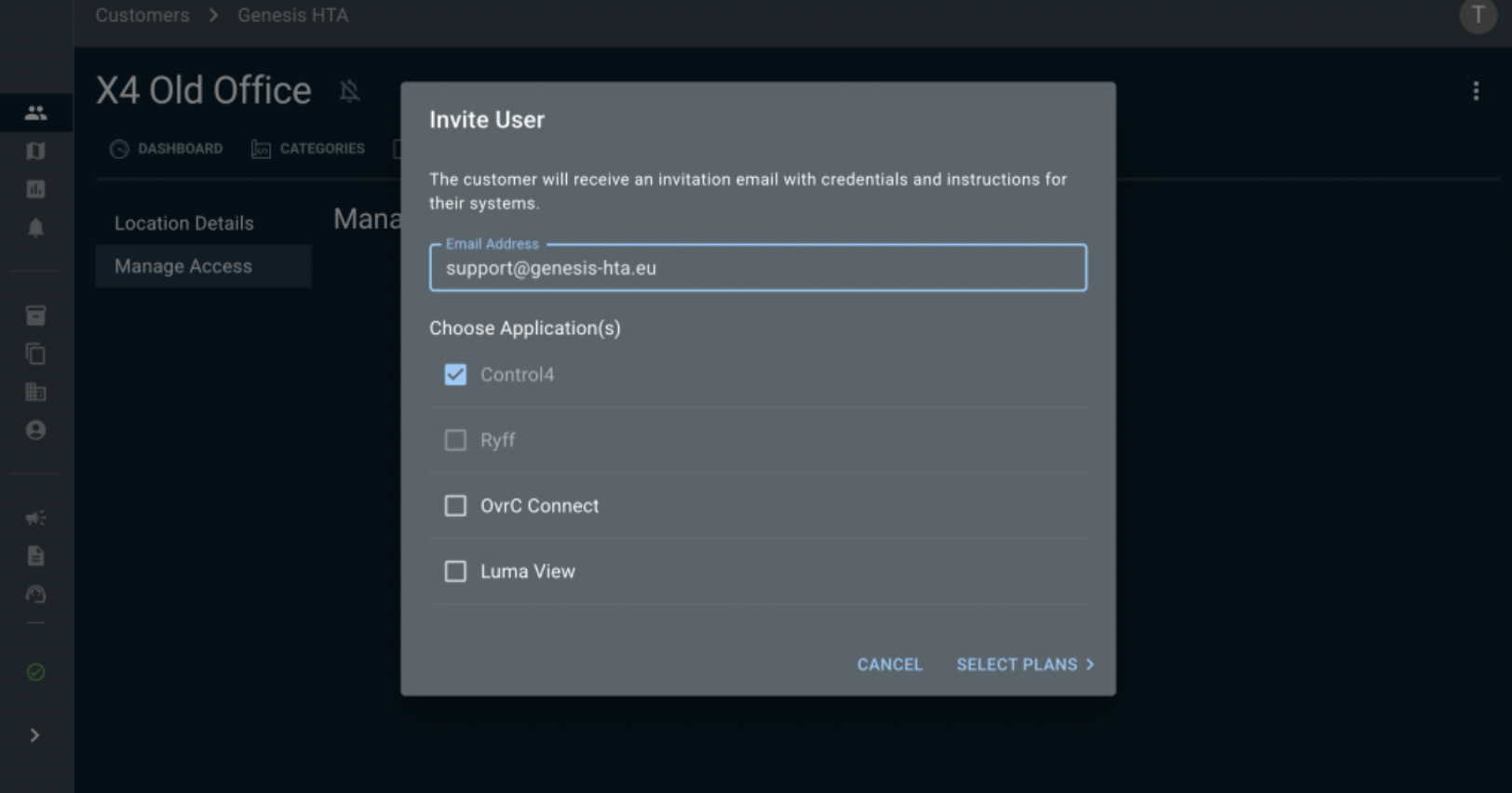
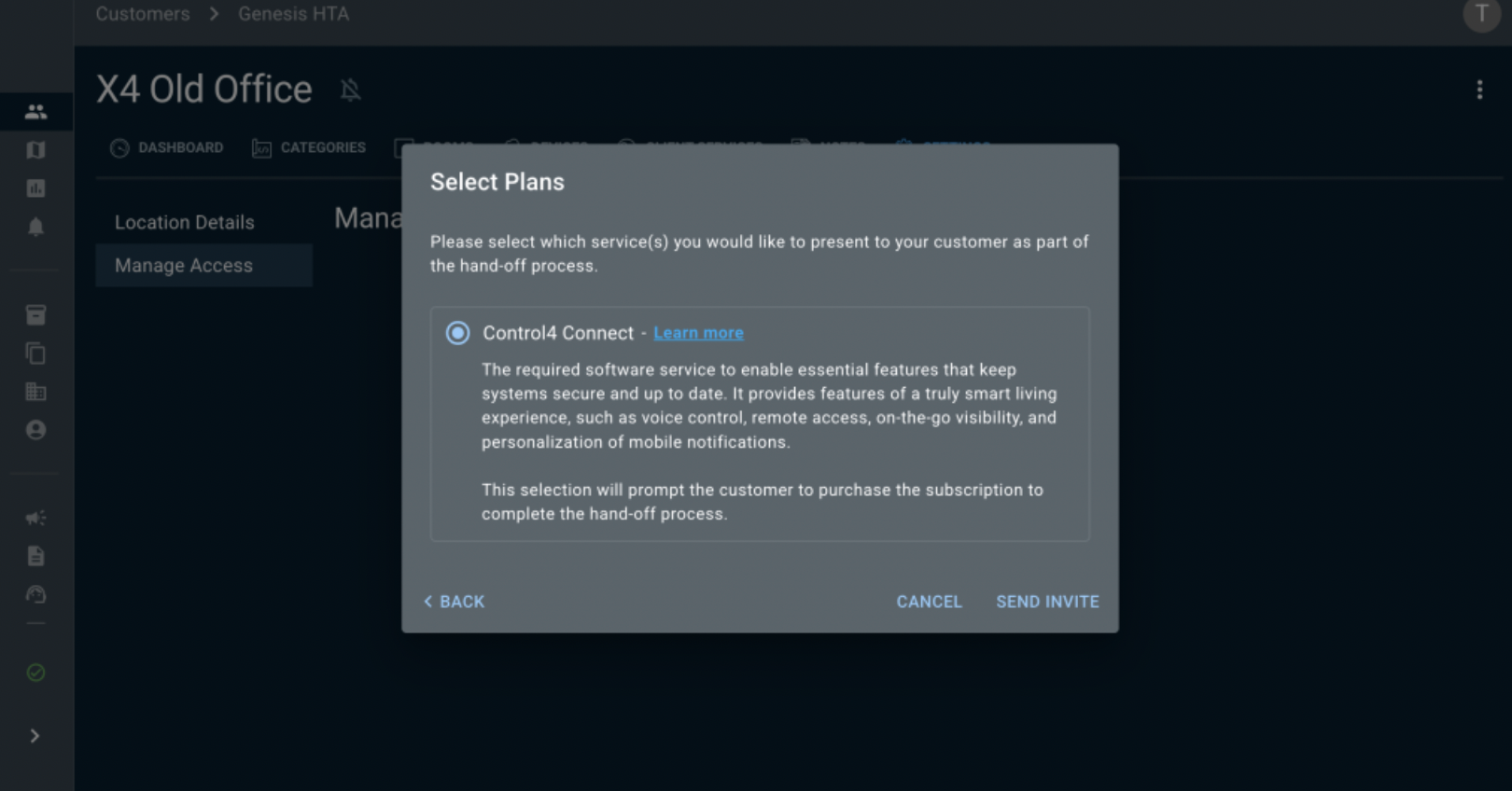
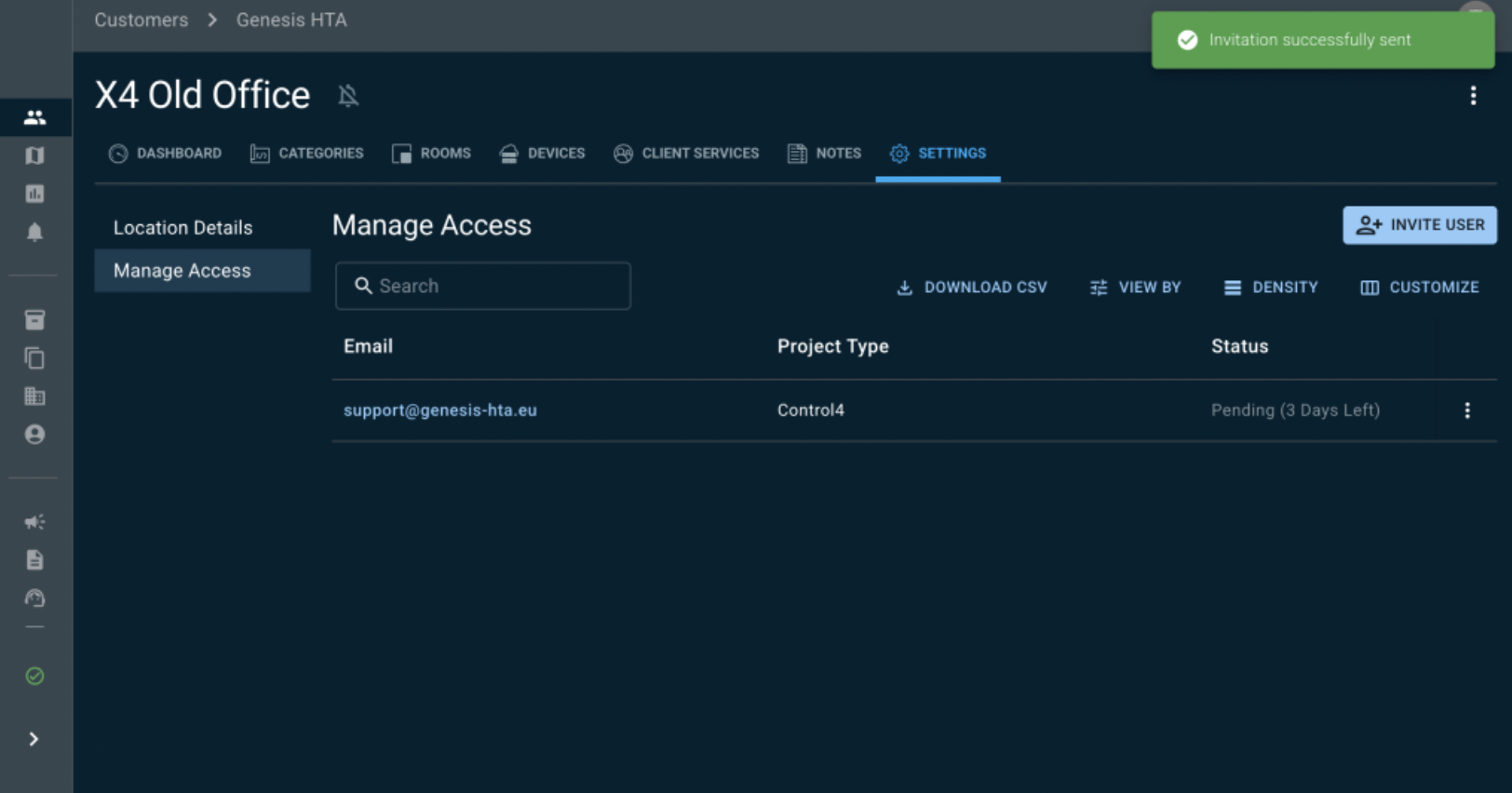
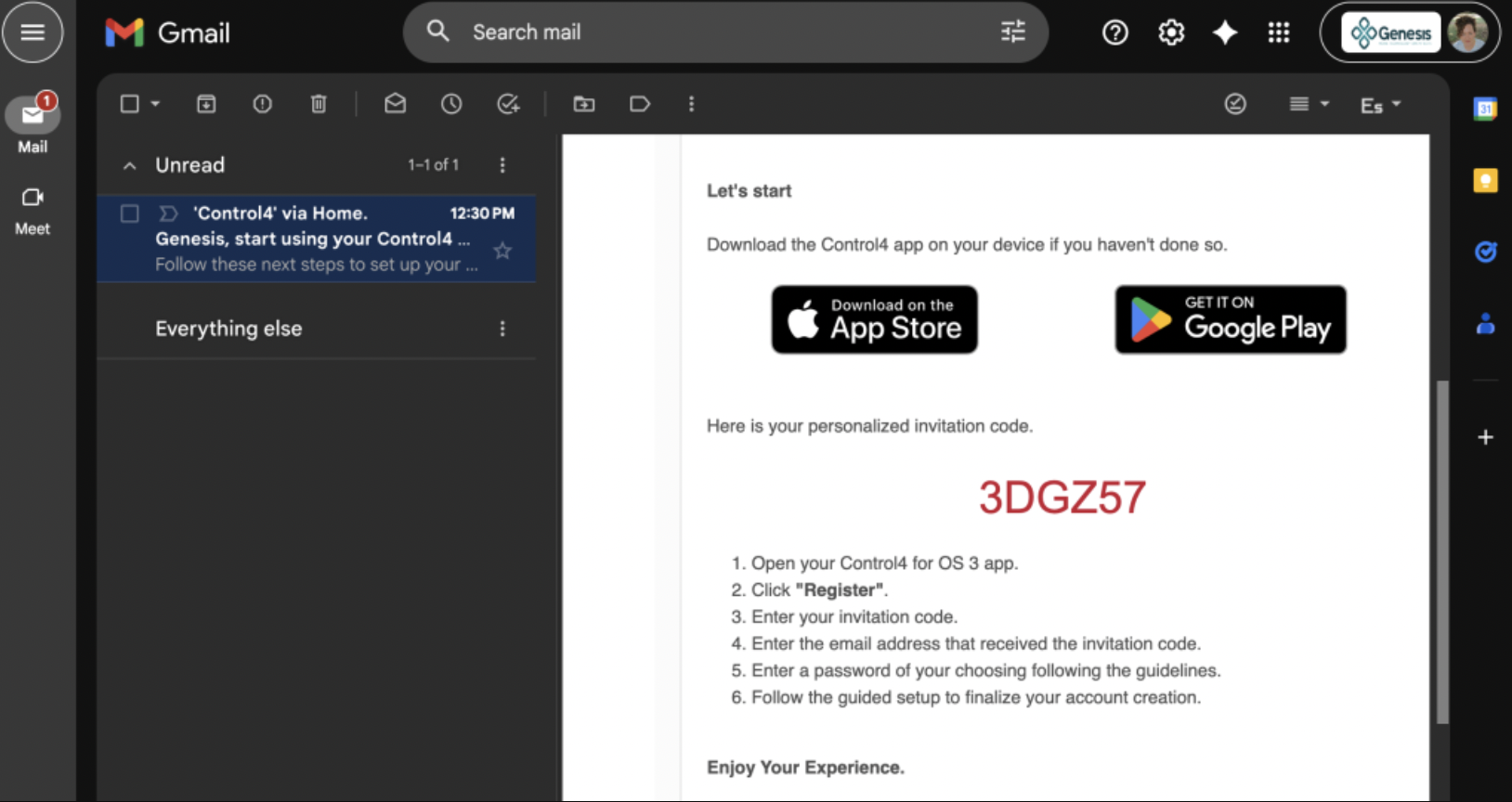
Take note of the CODE you received in your email.
Download the NEW Control4 app
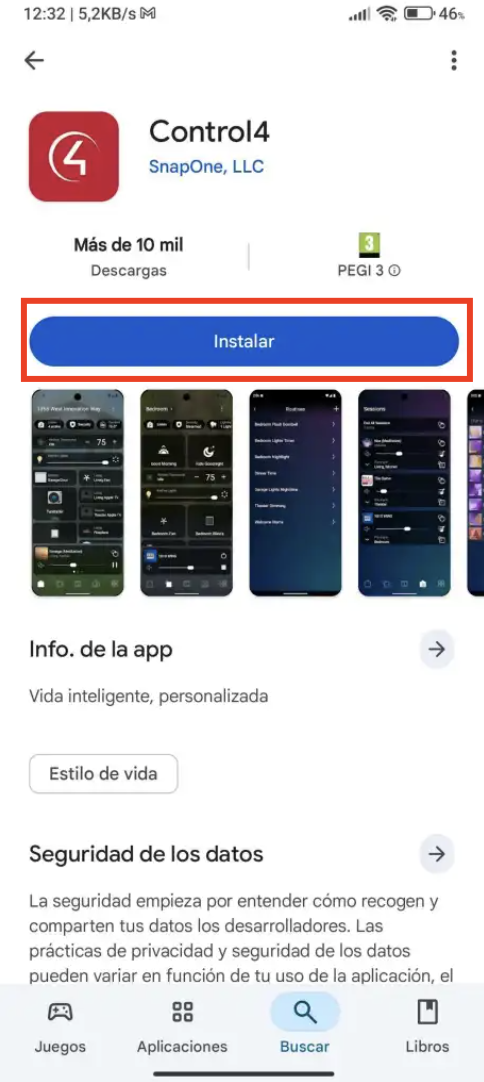
Click on REGISTER
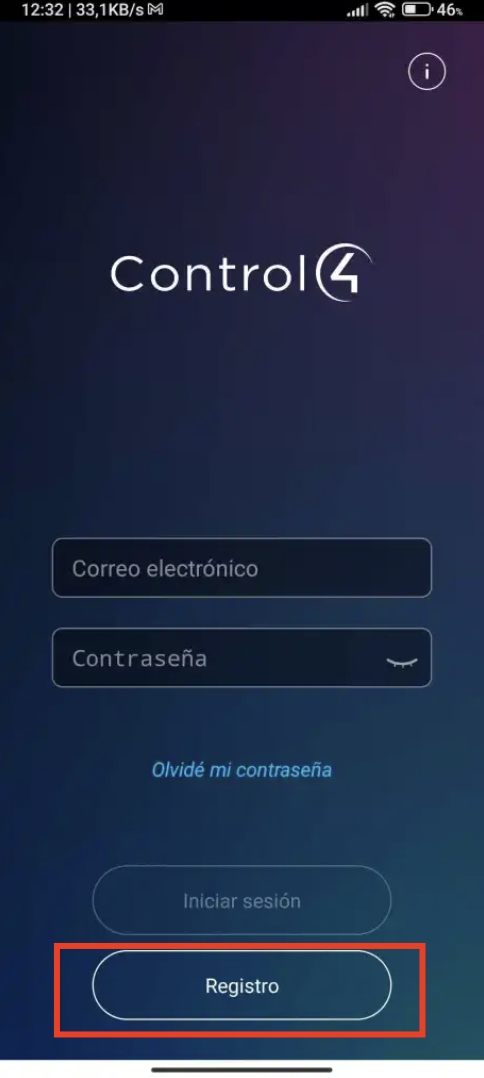
Fill in the CODE you received in your EMAIL and click PROCEED
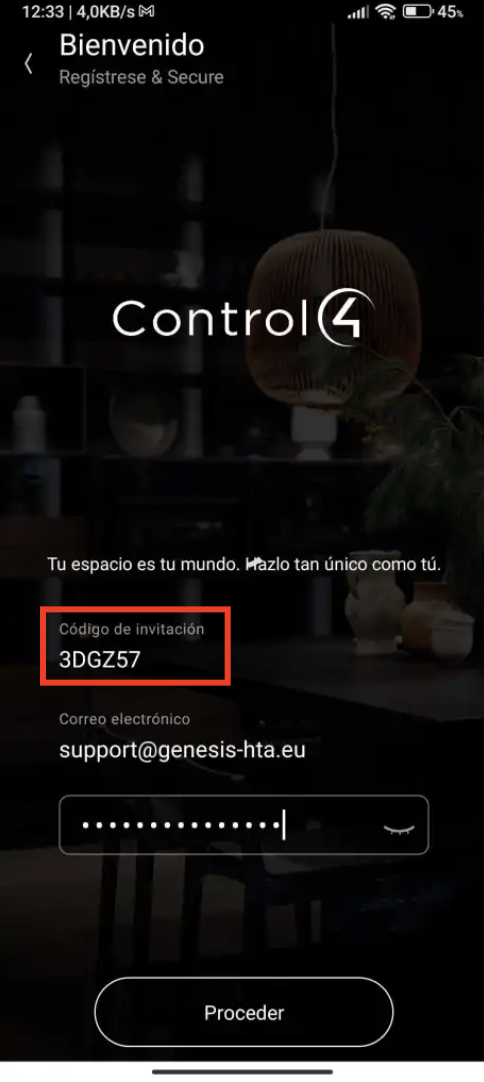
Click on ACCEPT
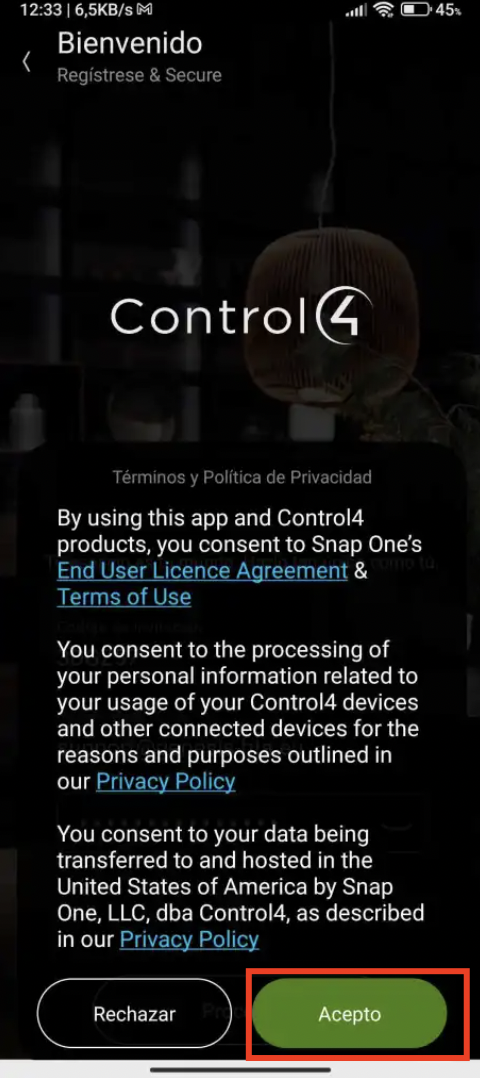
Click on CONFIRM
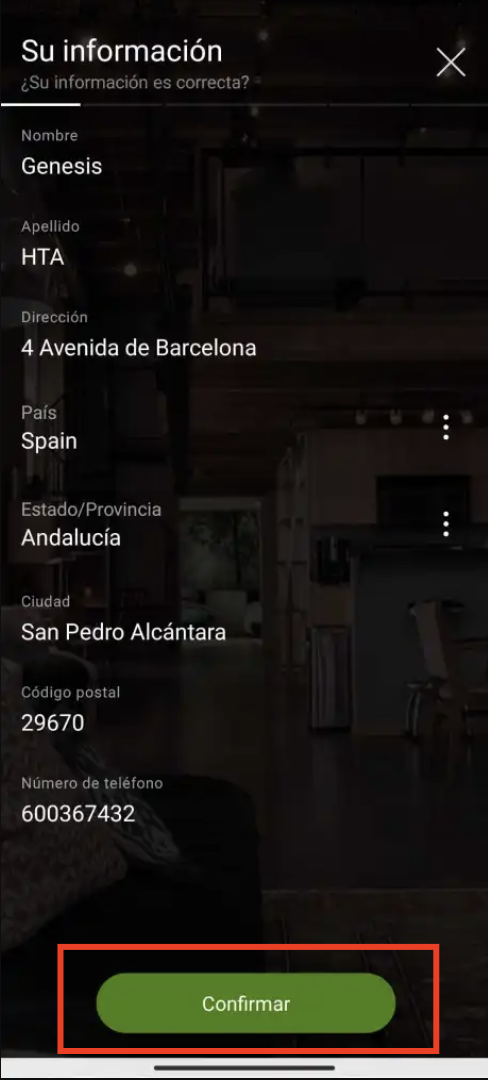
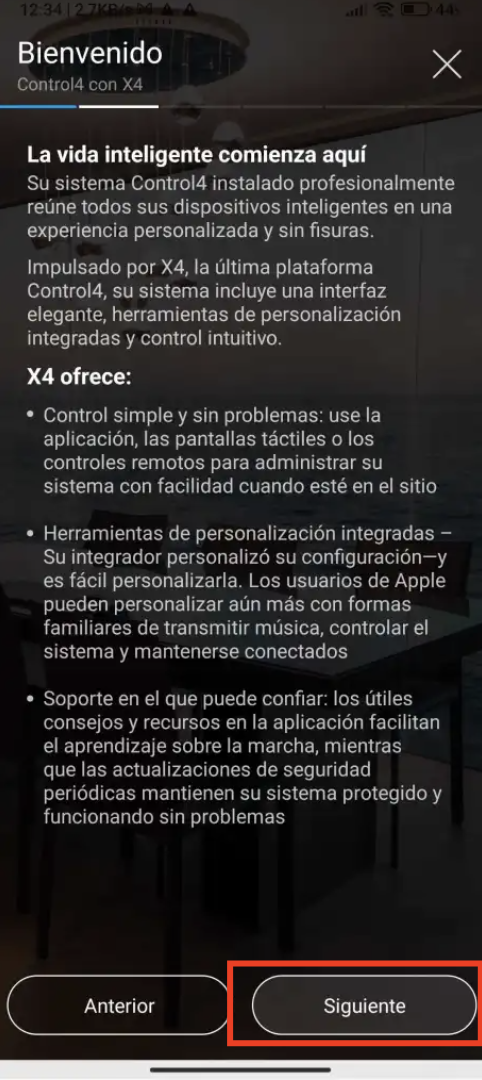
Click on NEXT
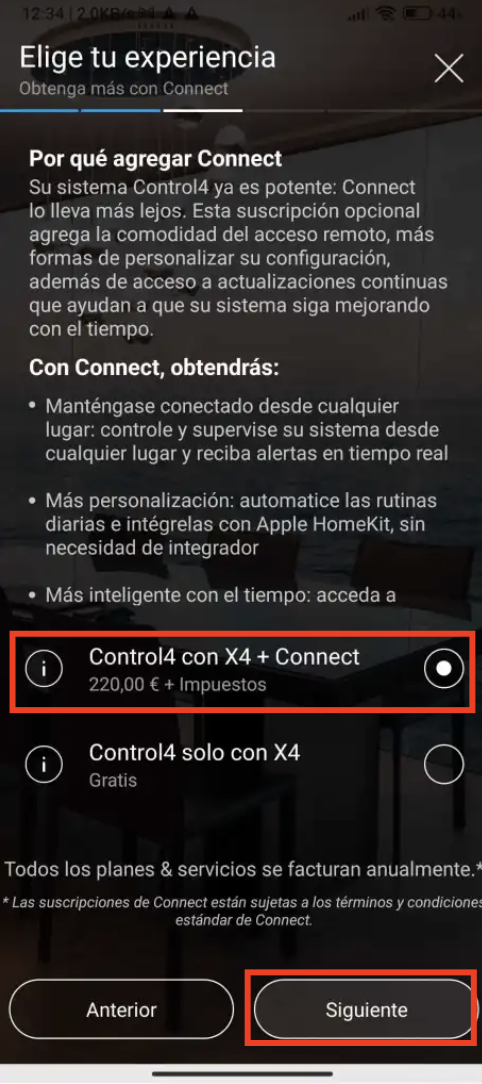
Click on Control4 with X4 + CONNECT
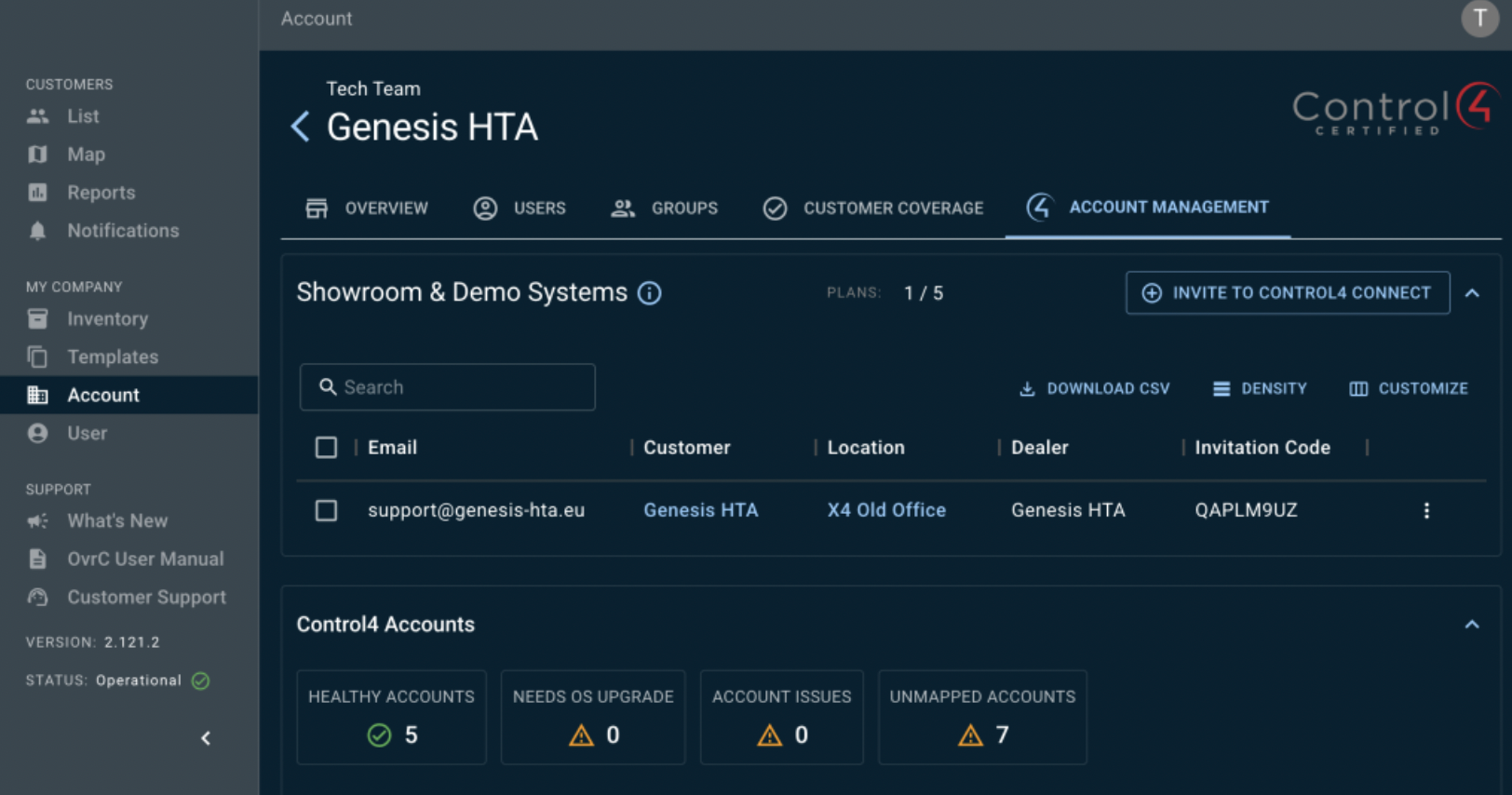
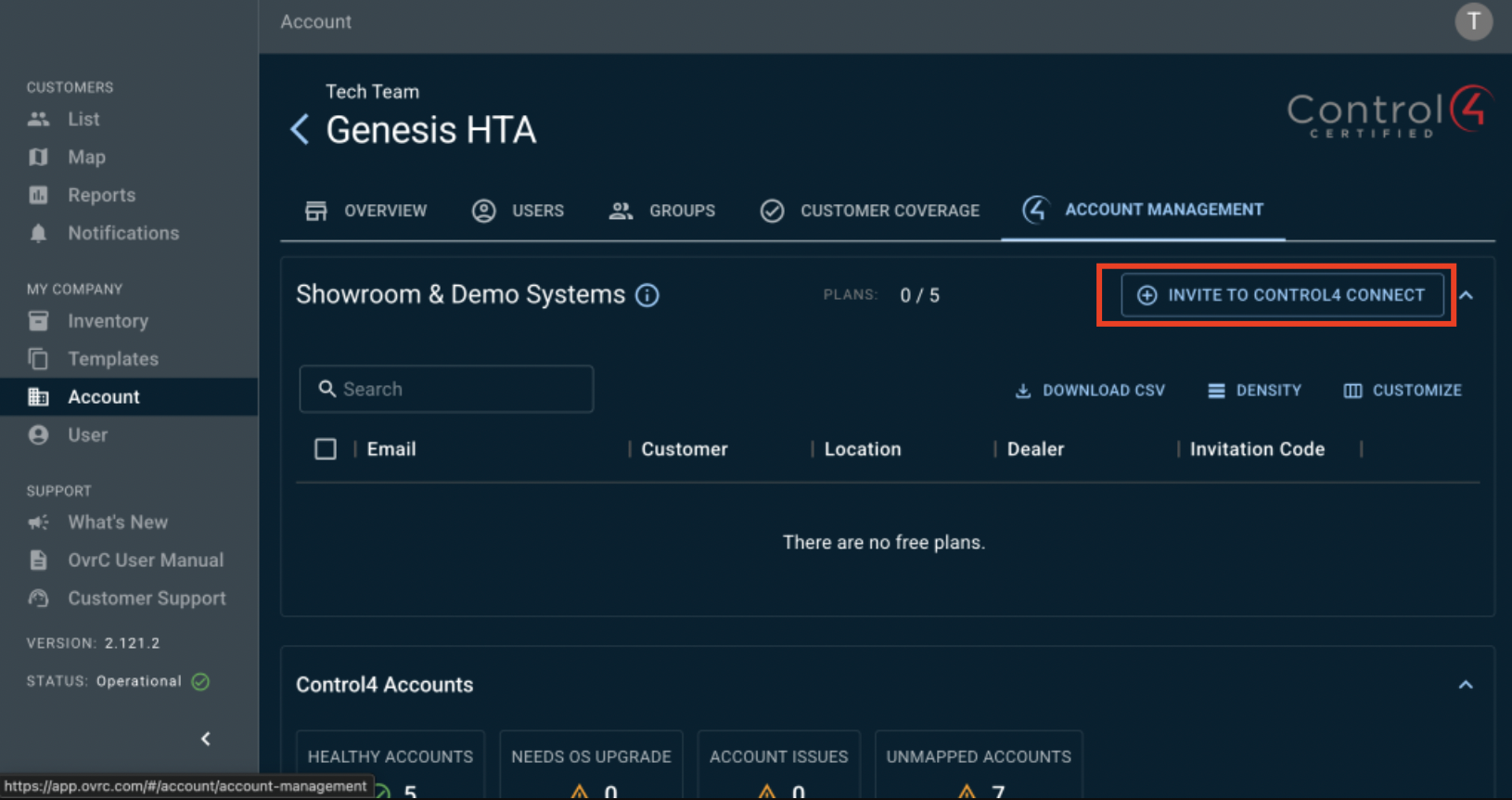
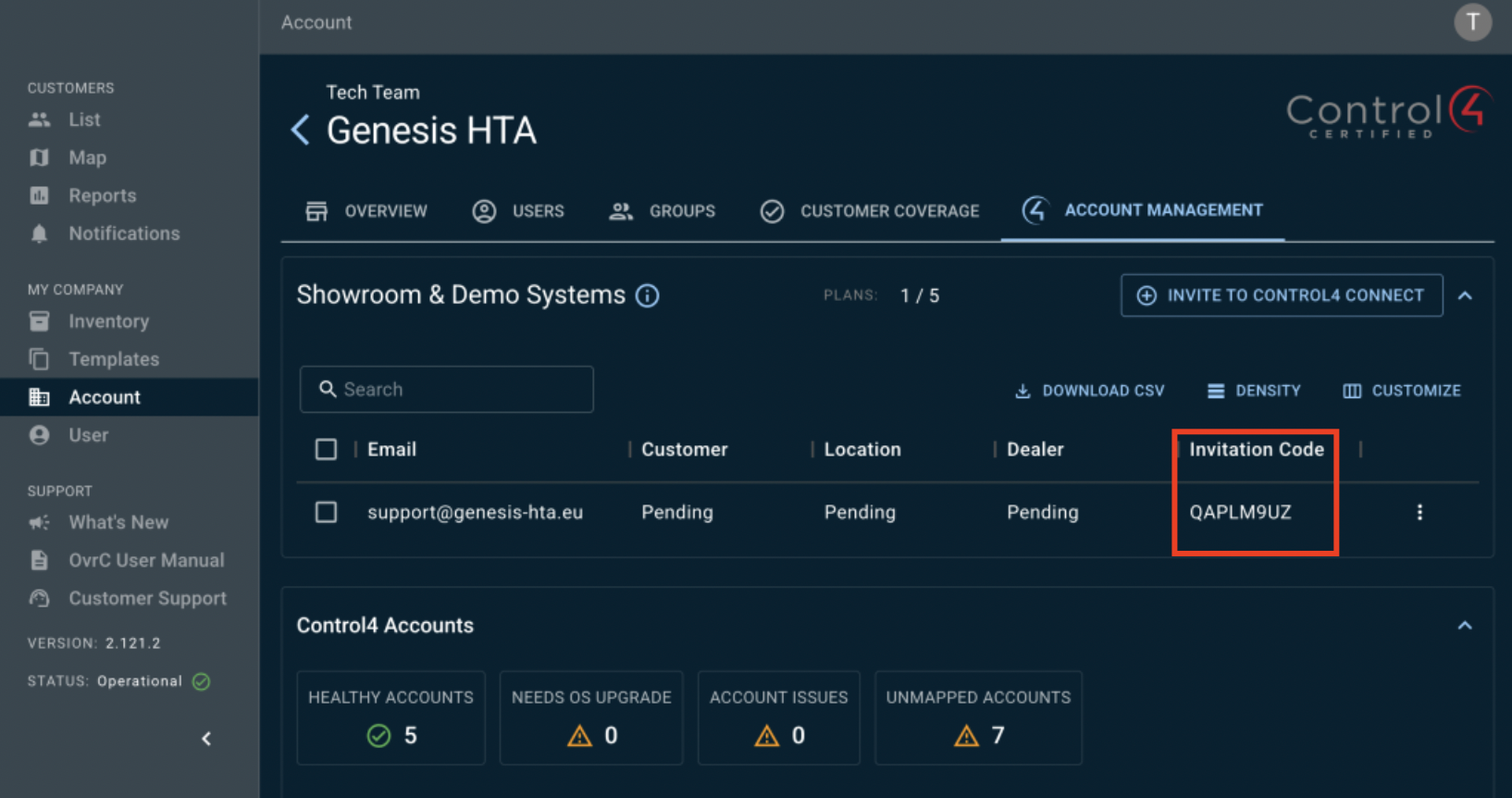
Click INVITE TO CONTROL4 CONNECT
Fill in the email
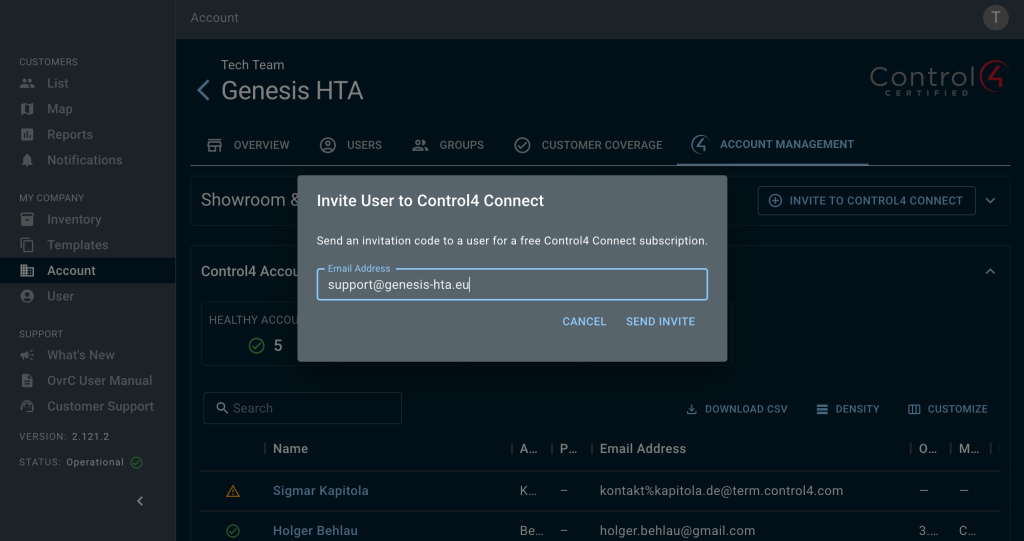
Take note of the Invitation Code (QAPLM9UZ in this example)
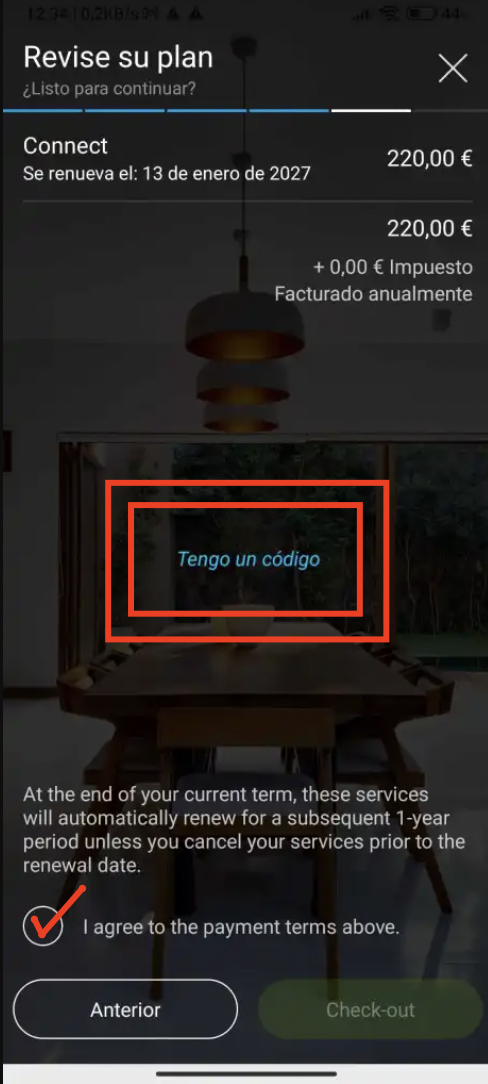
Click on I HAVE A CODE (in the middle of the screen with blue font) and fill in the CODE you had in OvrC.
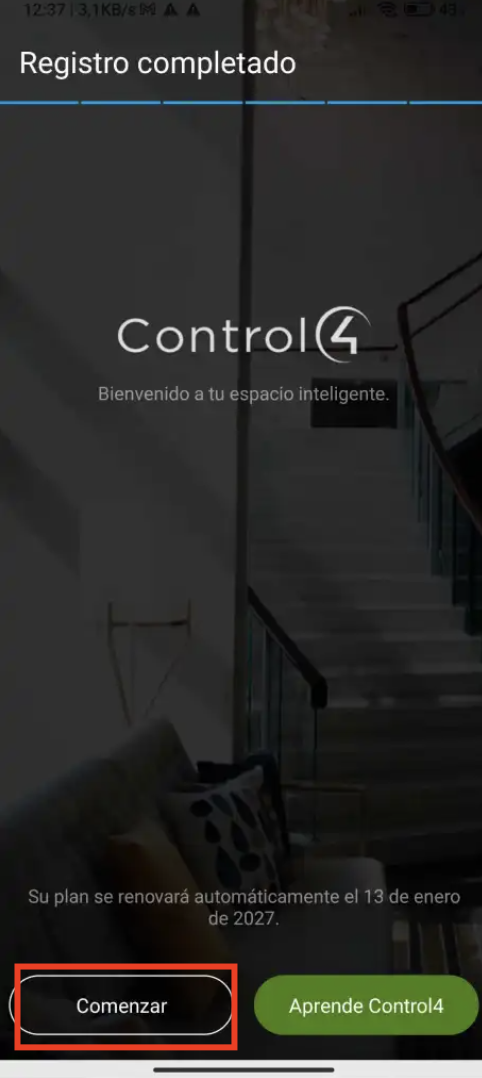
Click on START
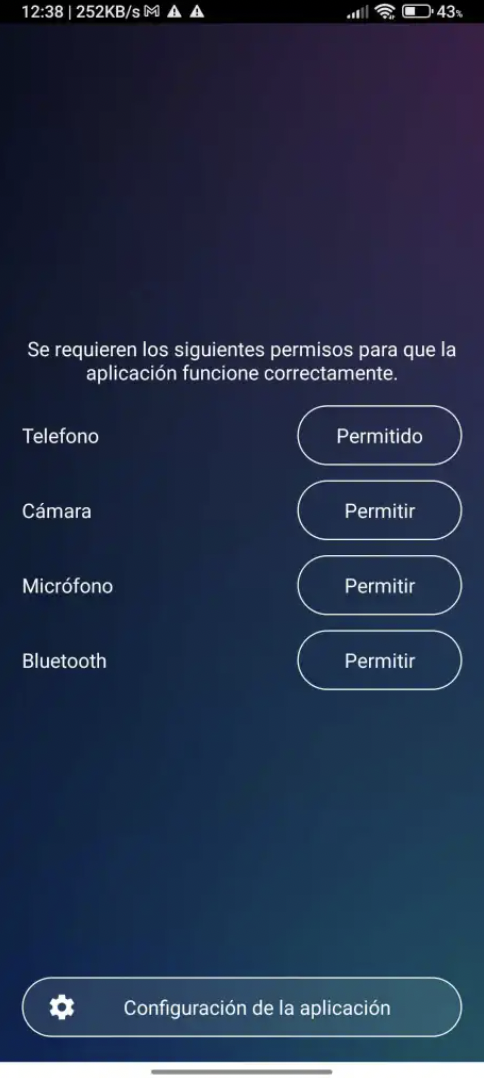
ALLOW all permissions
Ready!