First make sure the touchscreen is correctly installed:
- This product generates heat, so do not place the touchscreen near sources of heat or expose to direct sunlight for an extended period of time.
- Check the screw on the left side of the mid-box is not too tight, this way not all pins from the mid-box and touchpanel make a contact and there would be power issues. If it is, please untighten it.
Second, make sure the touchscreen has the latest software:
- The touchscreen OS version is the latest one. If not, do a Device Image Updater and upgrade the version.
- Night Mode must be enabled.
It may take 24 hours for the flickering to disappear.
If the flickering persists after a week and all these steps have been done, please record a video making sure:
- You record the flickering problem on-site.
- The OS version is the latest.
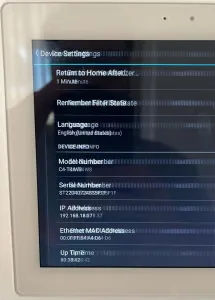
- The product Service Tag is shown (Hamburger menu > Settings > Device Settings > Serial number).
- The activity time shows more than 24 hours active (Hamburger menu > Settings > Device Settings > Activity time).