
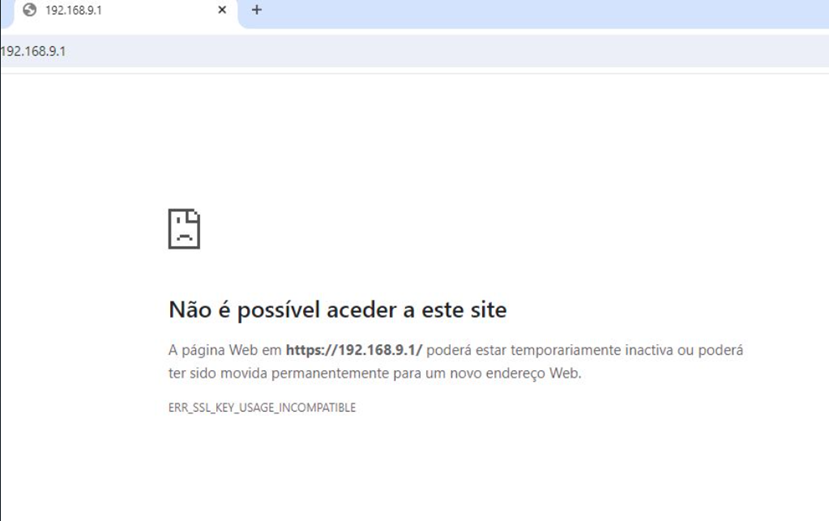
Sites that fail with this error likely have a misconfigured certificate. Modern ECDHE_RSA cipher suites use the “digitalSignature” key usage option, while legacy RSA decryption cipher suites use the “keyEncipherment” key usage option. If unsure, administrators should include both in RSA certificates meant for HTTPS.
You can try the workaround to resolve this issue:
After WIN+R opens, enter “regedit”:

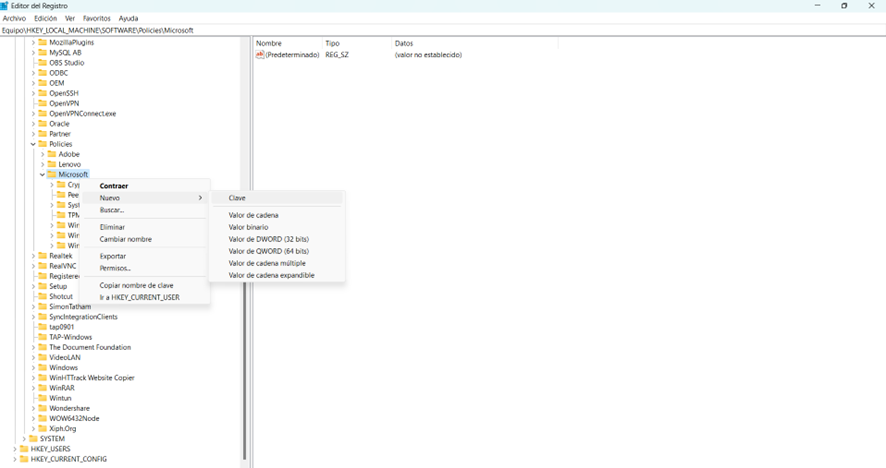
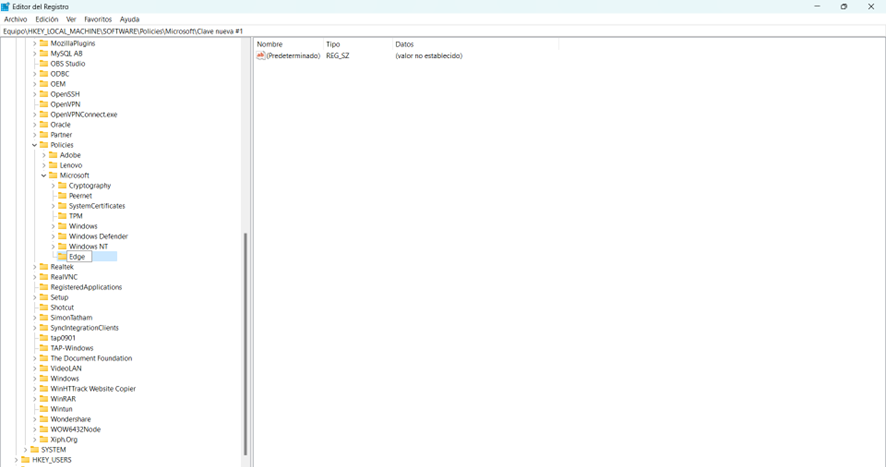
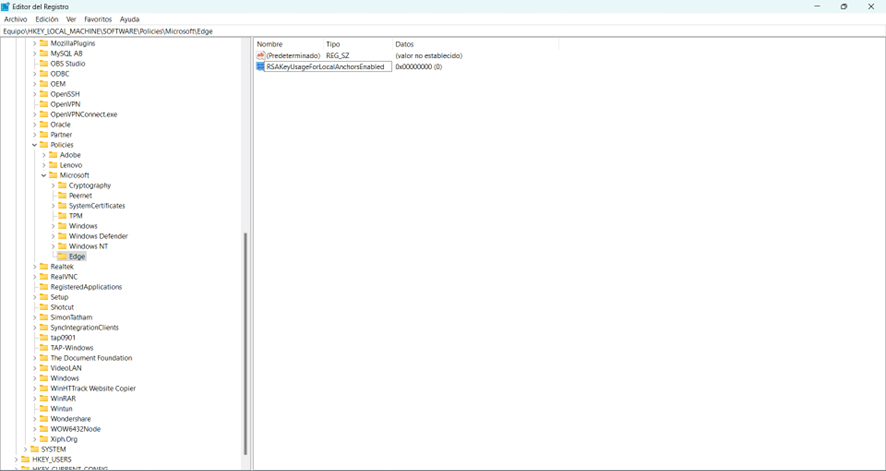
Navigate as follows: HKEY_LOCAL_MACHINE\SOFTWARE\Policies\Microsoft\Edge. If you don’t find the key called Edge, that means is not created: add a new one named Edge.
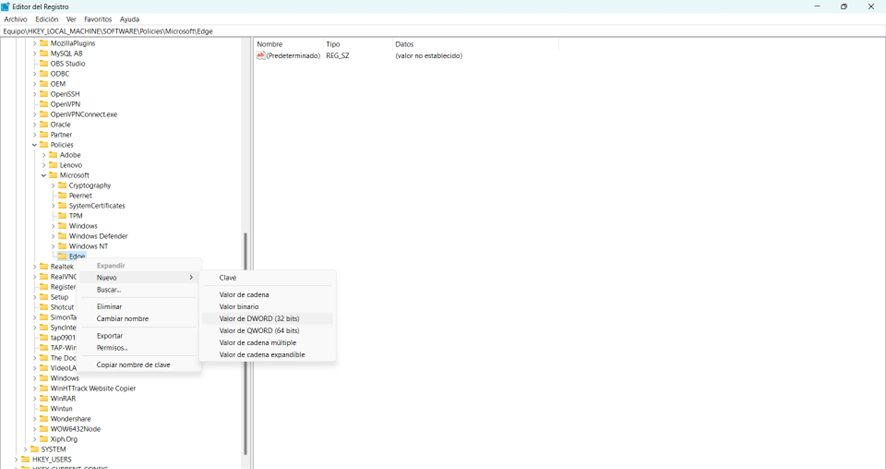
2. Create new DWORD entry named: RSAKeyUsageForLocalAnchorsEnabled and set the value to: 0x00000000 (0).
The appropriate solution is for the server certificate to be re-issued with the correct keyUsage bits set.
Here you can see a video with all the steps: