All communication between your devices and Juke will be done over the network, and it is therefore very important to ensure a stable connection between the Juke, the switch, access points and any device looking to stream to Juke. Different subnets and guest networks can be an issue in this scenario.
The router must have multicasting enabled. Araknis router have this feature enabled by default.
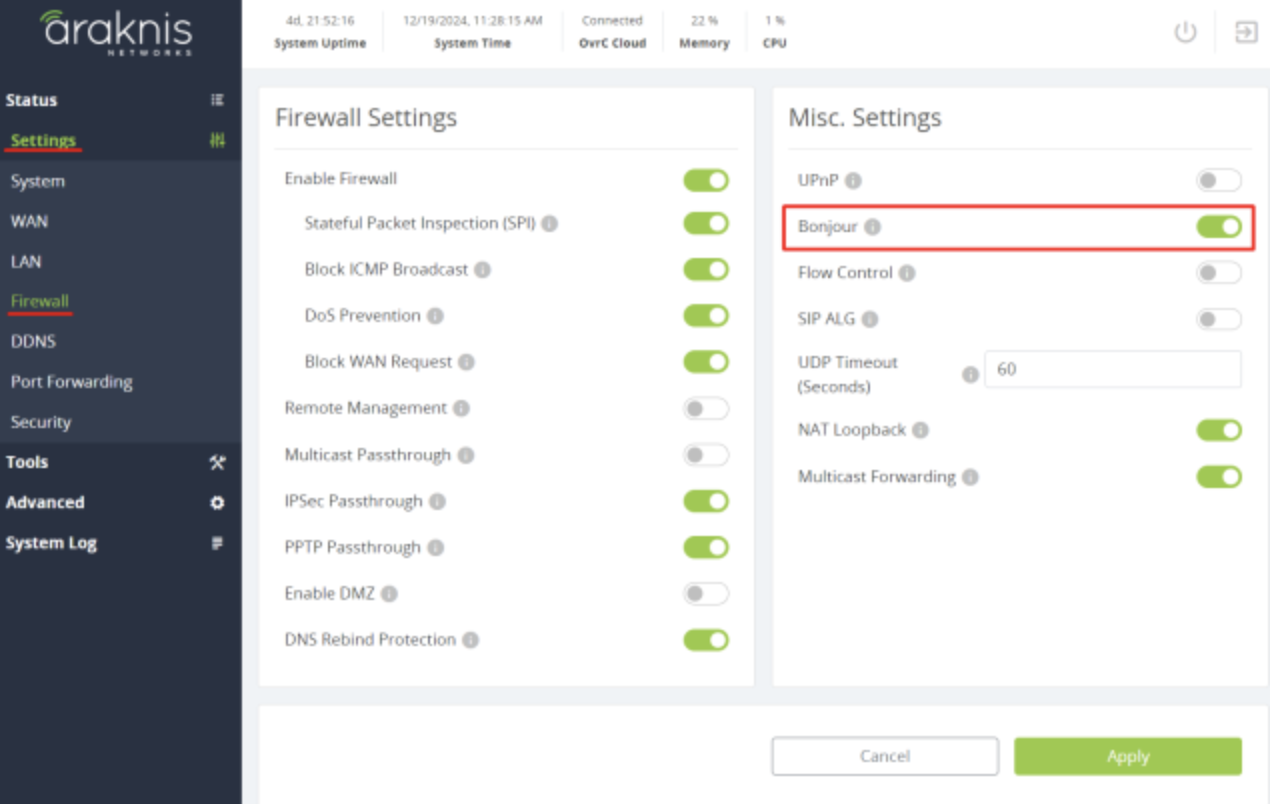
The router must have MDNS enabled. In Araknis routers, you can enable Bonjour by accessing the router’s local interface, navigating to the Firewall settings, and toggling the Bonjour option. This action activates the Avahi reflector, which propagates mDNS advertisements.
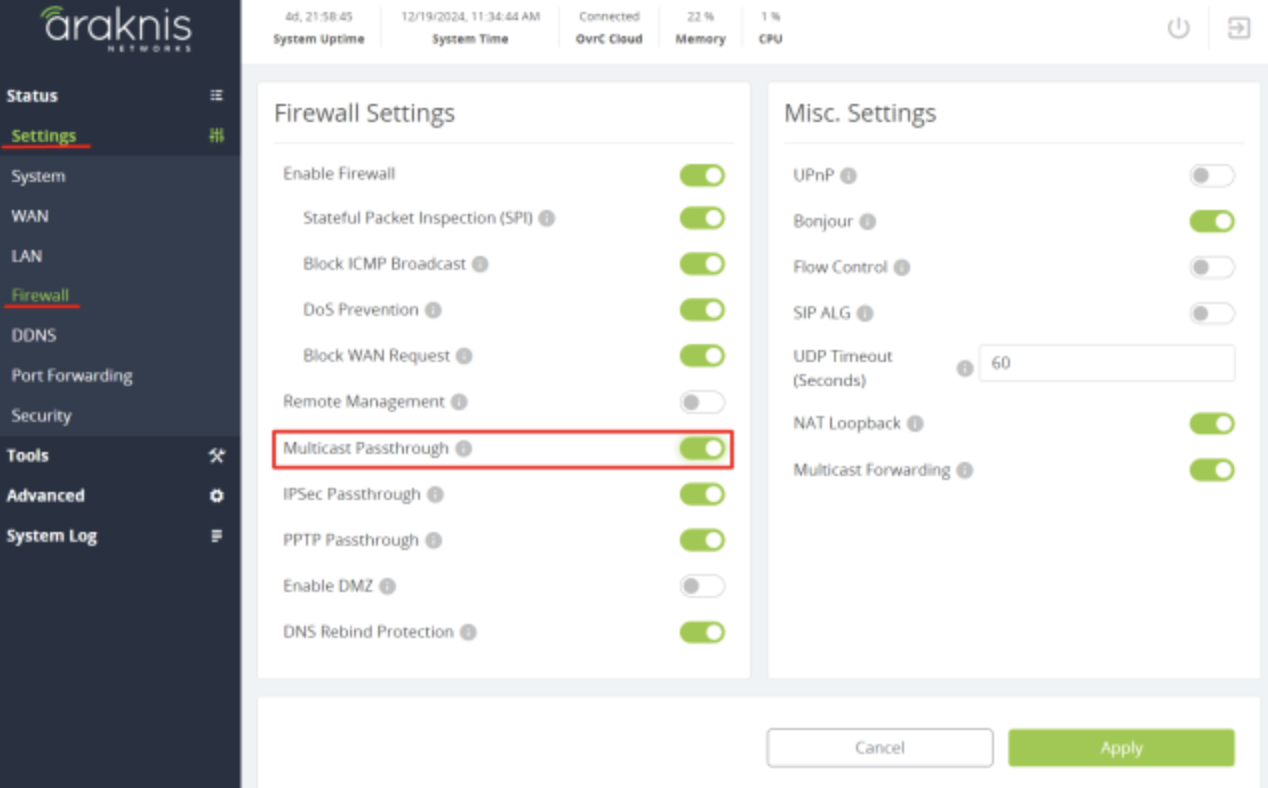
The router must not block known multicast addresses. In Araknis routers this requirement can be archived by accessing the router’s local interface, navigating to the Firewall settings, and toggling the Multicast Passthrough option.
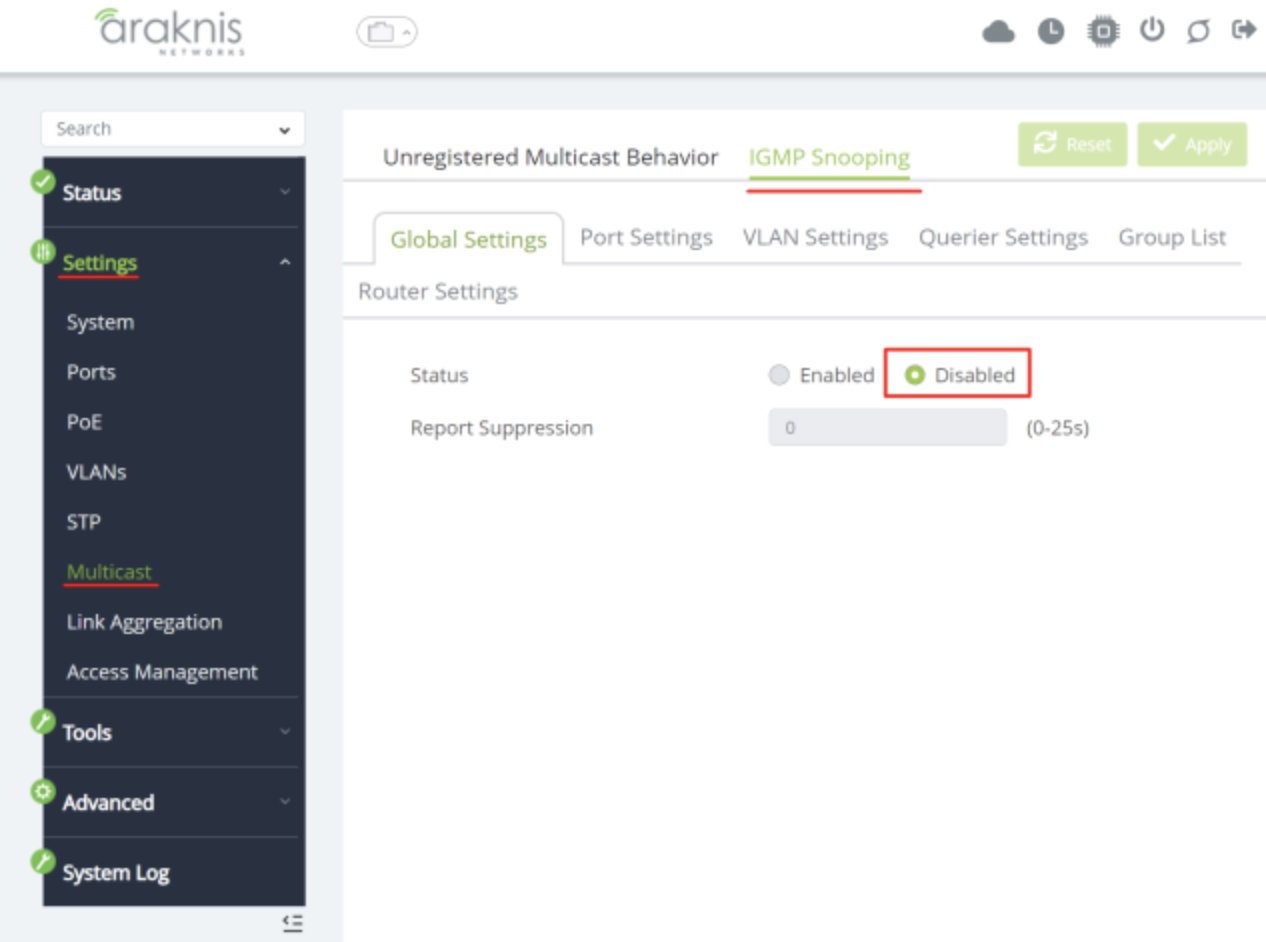
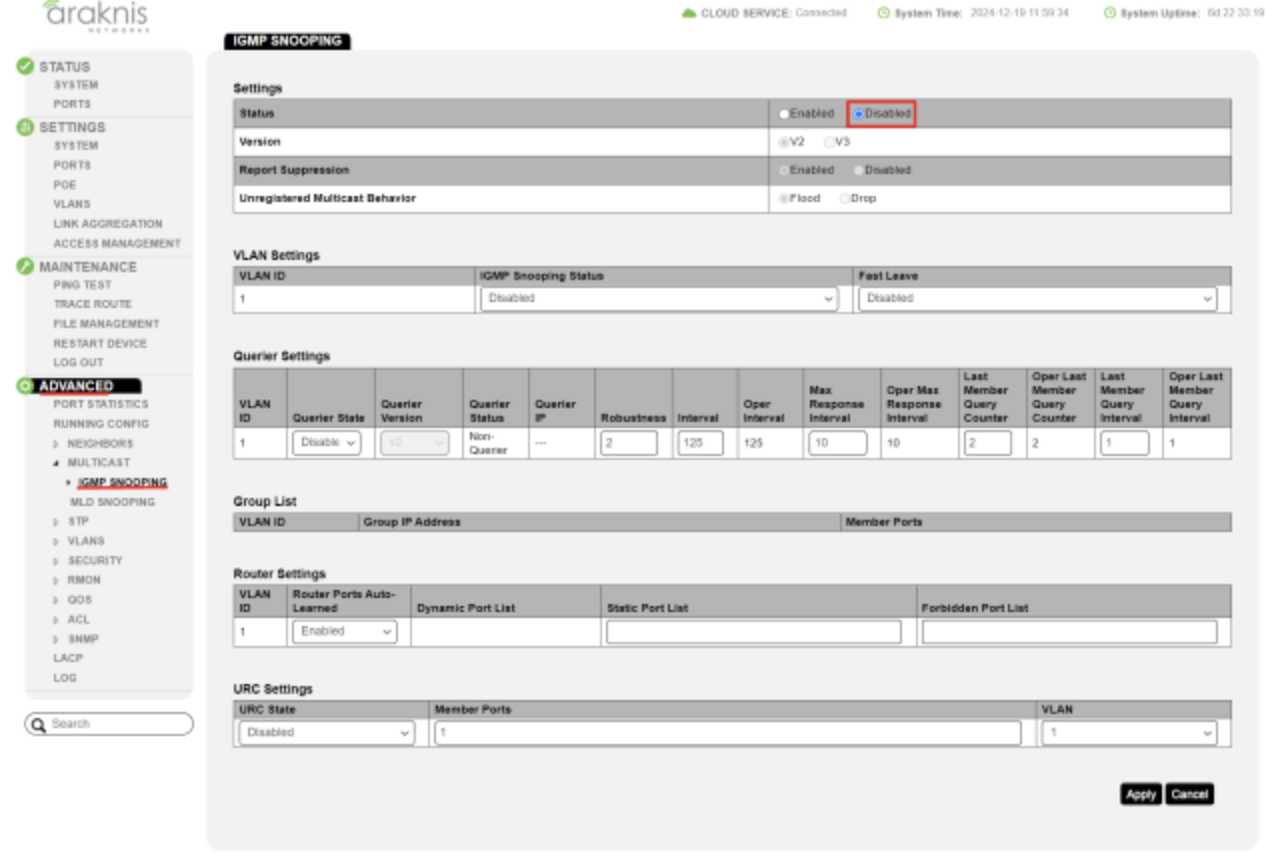
The network switches should have IGMP snooping disabled. In Araknis x20 series switches it can be found by accessing the router’s local interface, navigating to the Multicast settings, going to IGMP Snooping tab and making sure Status is Disabled.
In Araknis x10 series switches it can be found by accessing the router’s local interface, navigating to the Advanced settings, going to Multicast section and IGMP Snooping option and making sure Status is Disabled.
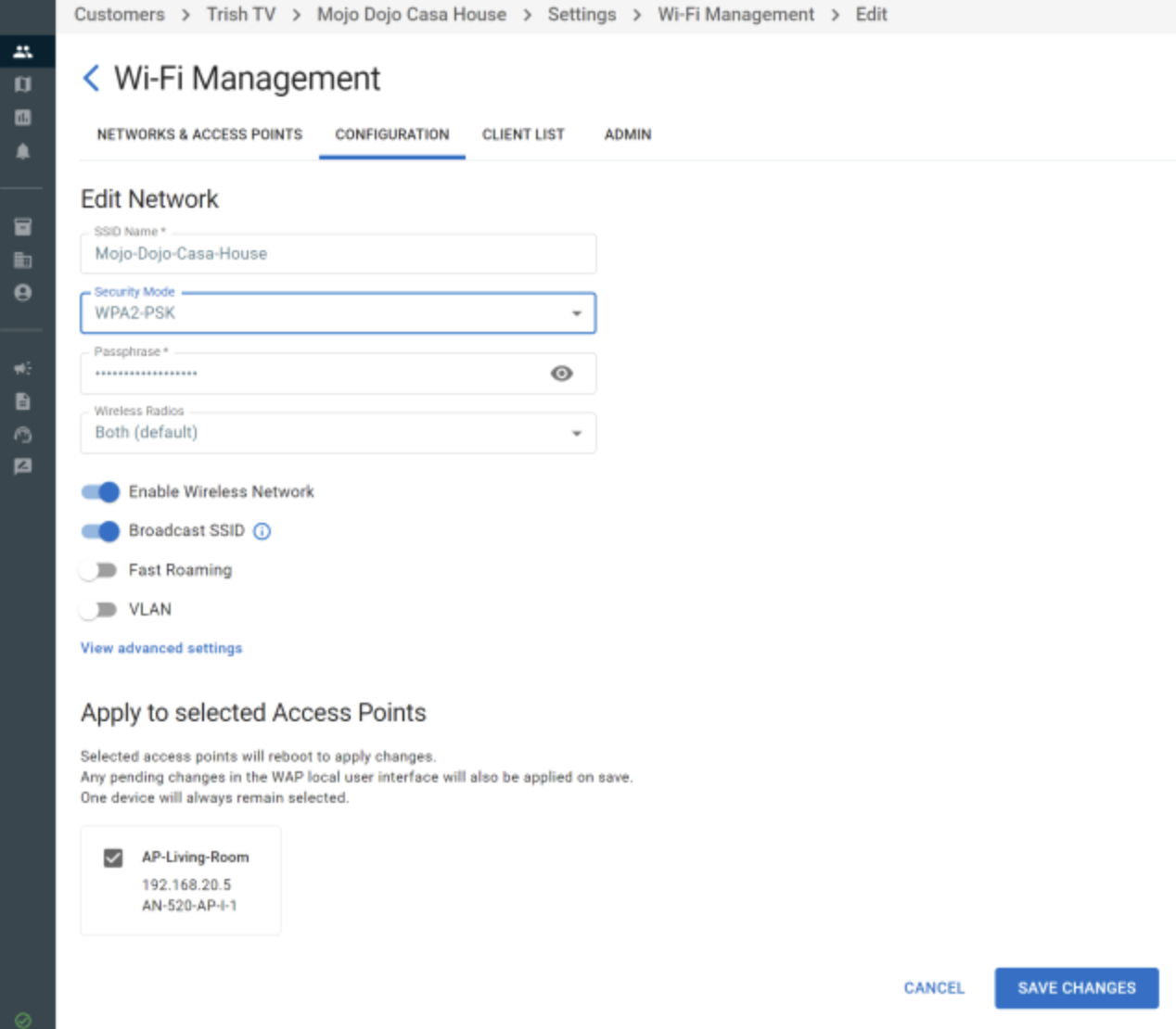
The wireless access points should have an SSID that operates in the 2.4 GHz band. So when setting wireless networks up you should create a specific 2,4GHz SSID or one SSID that operates in both 2,4GHz and 5GHz. In OvrC it can be done by login into your OvrC account, customer, location, Settings, Wifi Management, Add new network.
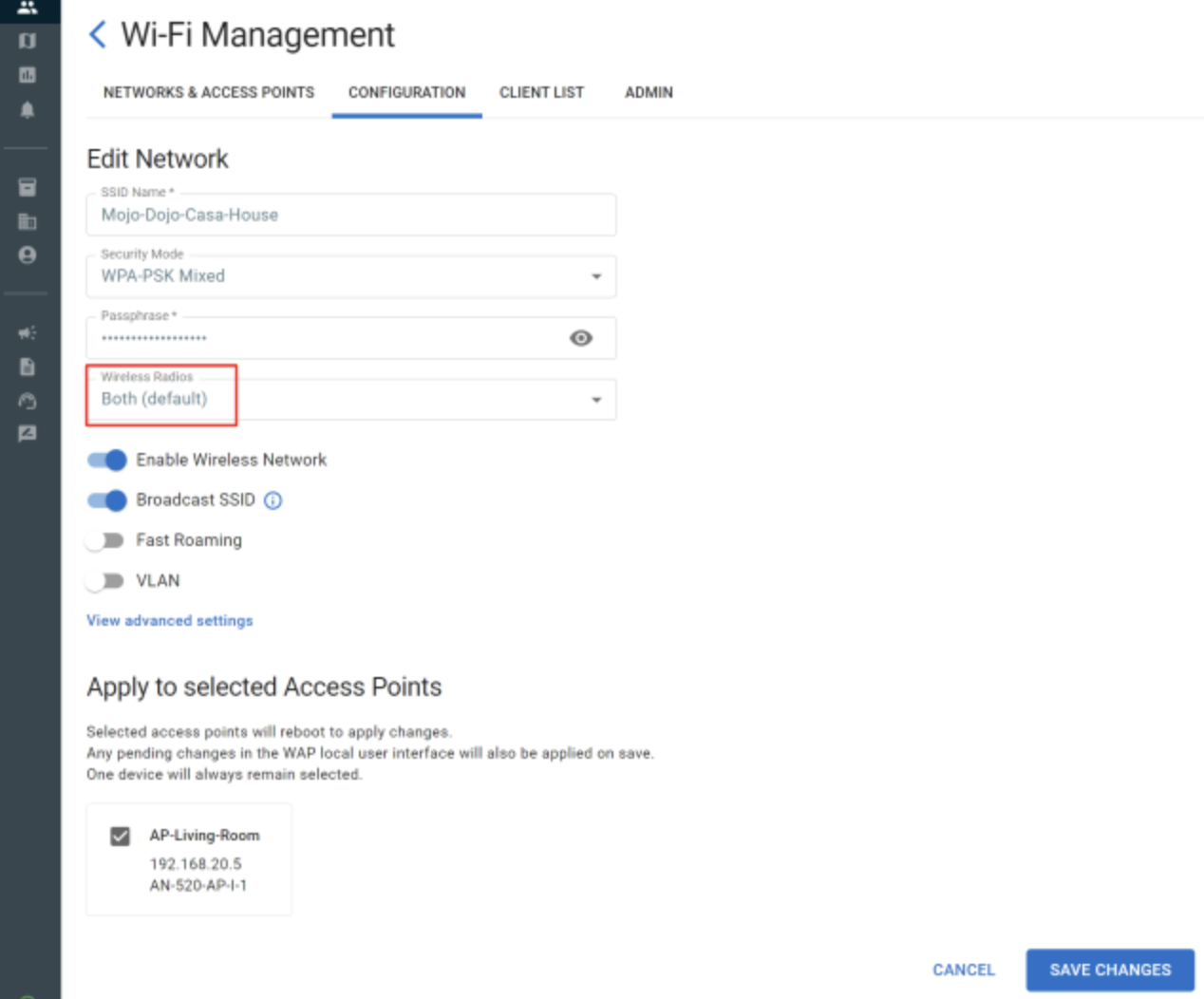
For Juke devices is better to configure the SSID security mode as WPA2.